Power Bi Desktop For Mac
May 08, 2015 FTP(File Transfer Protocol) is a standard network protocol used to transfer computer files from one host to another host over a TCP-based network, such as the Internet. FTP Server lets you run the FTP service on your own computer and you can access the files on the host computer with any standard FTP client such as FileZilla or WinSCP. Every Mac ships with a built-in FTP server, and it's easy to turn on and use. We'll show you how. Turn on FTP Access. The first step to setting up your Mac's FTP server is to actually turn it on. Thanks to Mac OS X, this is a relatively straight forward process. Last but not least, FileZilla Server is a free open source FTP and FTPS Server. Support is available through our forums, the wiki and the bug and feature request trackers. In addition, you will find documentation on how to compile FileZilla and nightly builds for multiple platforms in. Apr 06, 2019 How to Start FTP and SFTP Server in macOS. Naturally, it is possible to download a separate server and many do, but why, if the mac out of the box already has a built-in ftp / sptp server, which is enough for most tasks. Simply, the built-in server is disabled by default and we just need to enable it. This is what we will do. Start FTP server. Sep 29, 2011 If you’ve visited the Sharing Preference panel in the newer versions of Mac OS X you may have noticed there is no longer the direct option to enable an FTP server to share files and folders. Well, at least there isn’t an obvious option, but the FTP and SFTP server function does still exist, the. Mac sftp server.
5 Power BI Alternatives 2016
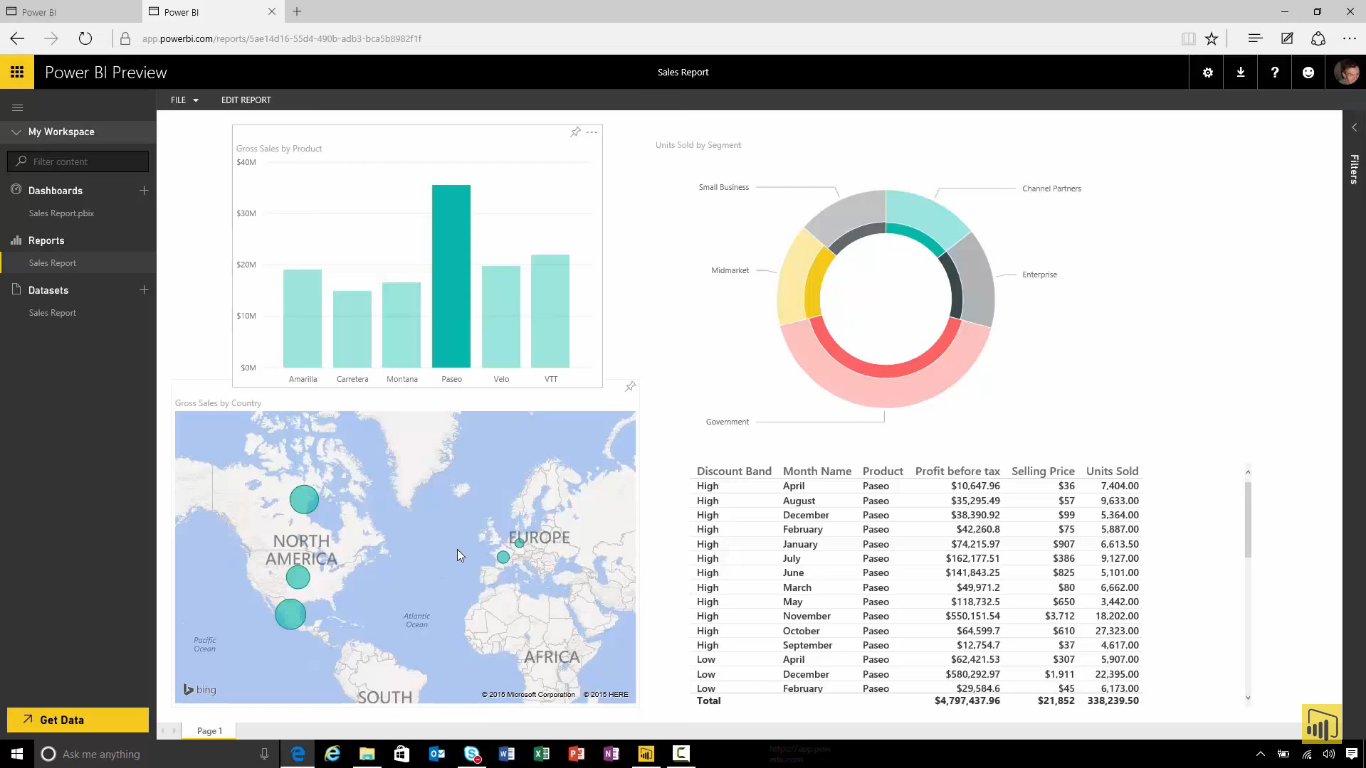
Microsoft Power BI comes as a Windows desktop platform and as a cloud service. Platforms that might be considered alternatives include:
Qlik Sense is a drag-and-drop data visualization and discovery platform capable of addressing most business intelligence needs apart from heavy duty production reporting. It delivers an easy-to-use interface suited to all levels of skill, and has a substantial amount of in-built intelligence to help users along. Charts, tables and dashboards are its main currency, of almost any level of complexity – or simplicity. Users can share their visualizations via various mechanisms and the platform was built ground up for mobile access – no matter the device (visualizations are rendered in HTML5).
Perhaps the most significant Qlik Sense differentiator is its associative data engine. This understands the links between various data sources and can suggest previously unsuspected relationships. Many suppliers use the term ‘data discovery’, but this facility adds new meaning to the term.
Built for the enterprise, Power BI fits your budget and is from a company you trust. Help people make decisions while meeting security and compliance needs. We are not considering bringing Power BI Desktop to Mac anytime soon; however, we do plan to bring more and more authoring capabilities from Power BI Desktop into the web experience. In the meantime, consider running Power BI Desktop in an application like Parallels or Turbo.net. By clicking Sign up, you are giving your consent to Microsoft for the Power BI newsletter program to provide you the exclusive news, surveys, tips and advice and other information for getting the most out of Power BI. W e do plan to bring more and more authoring capabilities from Power BI Desktop into the web experience. For your reference: Power BI for Mac. If you have further questions regarding Power BI, we suggest posting it to our Power BI Community forum for further assistance. Regards, Sheen. Microsoft Power BI comes as a Windows desktop platform and as a cloud service. Platforms that might be considered alternatives include: Qlik Sense is a drag-and-drop data visualization and discovery platform capable of addressing most business intelligence needs apart from heavy duty production reporting.
It comes in two versions – Qlik Sense Desktop, which is free to download and is not throttled in any way. It runs on a Windows desktop and is capable of accessing many data sources. Qlik Sense Enterprise runs on a server(s) and provides users with a browser based interface.
Sisense delivers on the promise of self-service business intelligence through its flexible data handling, easy to use interface, and very high levels of performance. These three features work hand-in-hand to make the user experience flow smoothly and quickly. Behind the easy to use interface are some interesting innovations. Most contemporary BI platforms utilize a columnar database for in-memory processing. This is ideal for modest data sets and when data values repeat with a reasonable degree of frequency. However these same databases can struggle when data sets become large (multi-terabyte) and when data values are frequently unique. To overcome these problems Sisense uses what it calls in-chip technology. This makes use of the memory native to contemporary processor chips, which is typically tens of times faster than RAM memory. This enables a fundamentally different approach to data processing, with the result that Sisense can effectively shape data on-the-fly as it processes queries. So large amounts of data do not have to be loaded into memory, which in itself can be a slow process, and the user is free to formulate queries without any preparation of the data.
Spotfire challenges the received wisdom that sophisticated technology is complex, and that easy-to-use technology is unsophisticated. For the large population of business users who simply wish to understand and analyze their data with least possible overhead, Spotfire will oblige. This is particularly true of version 7 where considerable effort has been made to automate routine tasks. However Spotfire goes well beyond routine day-to-day requirements, and as users gain confidence and skills so they can venture into other forms of analytics – statistics, predictive analytics, business rules and optimization, and real-time analytics for processing complex events.
Unlike most of the new generation of data visualization and exploration platforms Spotfire will not present a dead-end as requirements become more complex. And it should be remembered that TIBCO has a long-standing pedigree in technologies which support data, process and application integration – something that is absolutely necessary if businesses want to turn the insights derived from analysis into action.

Install Power Bi Desktop For Mac
Tableau Software set the pace for easy-to-use data visualization and exploration software. In practical terms this means business users can get to their data, typically without assistance from IT, and create graphs, charts and dashboards in a way that is most meaningful to them. Authoring takes place on Tableau Desktop which, as a stand-alone environment, can perform its own analysis, either against the Tableau in-memory database, or against external data sources – databases, cloud data sources, spreadsheets and so on. In a group or enterprise setting Tableau Server acts as a central facility for data access, delivering visualisations, enforcing security and managing user access. Tableau Server distributes visualisations through the web browser to almost any device that supports a web browser – desktops and mobile devices.
Yellowfin is something of a breath of fresh air in the over-hyped BI market. This is a platform that will address many needs in both large and small organizations, without the pretense that everyone with a display should spend all day playing with charts and dashboards. For those whose job it is to analyze data, Yellowfin provides a rich environment to do such work. For the rest of us who need access to dashboards and reports on an ad-hoc, as-needed basis, it will also provide the information needed.
Power Bi Desktop Mac Os X
So all the contemporary features we expect of a BI platform are supported by Yellowfin – charts, dashboards, mobile, maps, big data support, advanced analytics (via R), an in-memory columnar database for speed, multi-tenancy where needed, a semantic (or metadata) layer, strong collaboration features, connectivity to a wide range of data sources, and a web interface so that access is available on all devices with a browser. And all the dull things such as security, scalability and governance are catered for very adequately.