Gotomeeting For Mac
You can now play GoToMeeting for PC on a desktop/laptop running Windows XP, Windows 7, Windows 8, Windows 8.1, Windows 10 and MacOS/OS X. This can easily be done with the help of BlueStacks or Andy OS Android emulator.
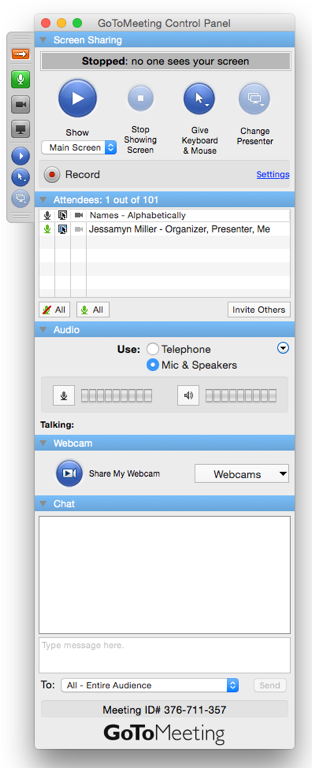
GoToMeeting for Mac, Windows and Linux International Conferencing. Quick One-Click Meetings FAQs. Get answers to all of your questions. Show All Hide All. What are the benefits of one-click meetings? One-click meetings save valuable time. With one-click meetings, you can instantly talk face-to-face with colleagues and clients rather than email. GoToMeeting is a mobile leader according to the most important critics — our customers! Across iOS and Android, our online meeting app has the highest overall rating when compared to our competitors. We are the go-to provider for any small business or large enterprise.
Meet where you want with the power of GoToMeeting on your mobile device. You'll never miss another meeting — unless you want to. Use the GoToMeeting app to join, host or schedule a session from your Android device for easy online meetings when you're on the go.

Download the free app to join or start a meeting in seconds.
Hallmark greeting card software for mac review. It is full offline installer standalone setup of Hallmark Card Studio 2020 Deluxe free download.
FEATURES
• Join or host a meeting on any Android phone or tablet.
• Get alerts when a meeting is about to start. Never be late again.
• View presentations, mockups and reports — whatever is shown on screen.
• View attendee webcams.
• See all your upcoming meetings and join with a single tap.
• Attend GoToMeeting sessions wherever you are.
• Hand-off presentation control to anyone else in the meeting.
• Prefer phone over VoIP? You can also dial in with one tap.
• Chat with individual attendees or everyone in the meeting.
Want the latest features before anyone else? Join our beta program for early access to features like Android screen sharing! Just tap on the below link to see how.
https://play.google.com/apps/testing/com.gotomeeting
You don’t need a GoToMeeting account to attend a GoToMeeting session, but you do if you plan to host one. Sign up for a free 30-day trial at www.gotomeeting.com.
How to download and run GoToMeeting on your PC and Mac
GoToMeeting For PC can be easily installed and used on a desktop computer or laptop running Windows XP, Windows 7, Windows 8, Windows 8.1, Windows 10 and a Macbook, iMac running Mac OS X. This will be done using an Android emulator. To install GoToMeeting For PC, we will use BlueStacks app player. The method listed below is set to help you get GoToMeeting For PC. Go ahead and get it done now.
Download Links For GoToMeeting:
Download: Bluestacks Android Emulator
Download: GoToMeeting (Play Store)
More From Us: Racing Horizon :Unlimited Race For PC / Windows 7/8/10 / Mac – Free Download
Step to Step Guide / GoToMeeting For PC:
Gotomeeting Download For Macbook
- As you have Downloaded and Installed Bluestacks Emulator, from Links which are provided above.
- Now, After the installation, configure it and add your Google account.
- Once everything is done, just open the Market in Play Store and Search for the ‘GoToMeeting’.
- Tap the first result and tap install.
- Once the installation is over, Tap the App icon in Menu to start playing.
- That’s all Enjoy!
Gotomeeting Scheduler For Mac
See App in Play Store
Gotomeeting For Mac Download
Also Read: Zappos: Shoes, Clothes, & More For PC / Windows 7/8/10 / Mac – Free Download
That would be all from our side. In case you have got any queries or you have any issue following the guide, do let me know by leaving your thoughts in the comments section below.