Gba Emulator For Mac
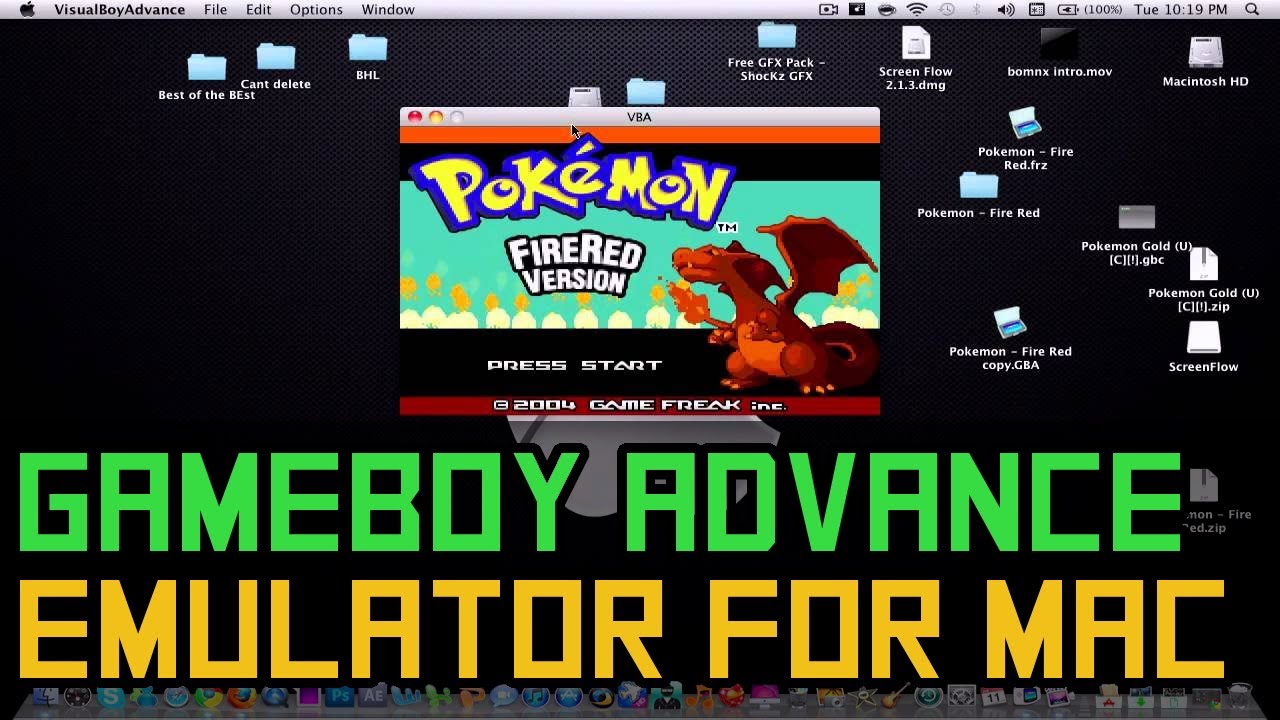
This emulator is an open source software and gives you the compatibility with all Mac OS. Recently it has modified its installation process as well, making the process simpler and easier. You can keep all your playstation games in a folder and after installing PCSX-Reloaded you can drag and drop the game and play. So you what you see? Share the LOVE! Emulators » Nintendo Gameboy Advance » Mac OS X. GBA Emulators for Mac OS X. They come in the form of emulators and today we will reveal the best emulators for users who use Mac OS. Basically, these are simple software that allows for you to load the GBA game and play it on the computer. MGBA is our first choice due to a simple reason. Check out the list of Best GBA Emulators for PC - Windows, Linux, and Mac. These Best Game Boy Advance Emulators allows to play top GBA Games on PC.
- Best Gba Emulator For Mac 2018
- Gba Emulator For Mac Download
- Gba Emulator For Mac Reddit
- Gba Free Download For Pc
Looking for Best NES Emulators for Mac OS X Many f you guys know about Nintendo gaming systems that are the next level gaming system after 90’s games like Super Mario Bro’s, Konami Contra, and Track. After Nintendo Entertainment System games sony takes over almost all the games and became very popular in the gaming world so no these days in many countries people are used to playing XBOX or PS4 games. But guys if you still Nintendo Entertainment System or NES Games we have the best way to play NES Games on your Mac OS X (MacBook Air, Pro, iMac, etc. best emulators for mac
In simple words, we are going to providing you the best NES Game educators for MAC OS X so you can play Nintendo games on your mac computer or iMac. There are many NES Emulators available on the internet but here are some of best emulators that can helpful for you and you can easily run on your Mac computer. best emulators for mac
Contents
- 1 List of Best NES Emulators for Mac OS X:
- 1.1 #1. OpenEmu – (NES Emulators for Mac)
- 1.2 #2. Nestopia
- 1.3 #3. RockNes
- 1.3.1 Features of RockNes:
- 1.3.1.1 Incoming Keywords
- 1.3.1 Features of RockNes:
Below we are going to provide you the genuine list of best NES Emulators for Mac OS X and you can play your Nintendo games on your mac computer easily. we sort out the list of best emulators and now compile the list here. You can see we can use three most popular NES Emulators named OpenEmu, Nestopia, and RockNes.
#1. OpenEmu – (NES Emulators for Mac)
OpenEmu is one of the most amazing emulators I saw in my life you can easily play emulated games on your computer without worries. This is based on Multiple Video Gaming System. OpenEmu is not only working for NES Emulators but also used for NES, GBA, Sega and lot of old gaming consoles. Basically, you can say it is a classic emulation system that can emulate all types of 90’s video games on your computer.
Features of OpenEmu:
- Free & Easy to install.
- Comes inbuilt with many console emulation codes.
- Gamepad Controller / Joystick support! – This is perhaps the best part as you can simply plug in your Joystick/gamepad and start playing your ROM on the game controller (totally console style!) best emulators for mac
- Later map the joystick buttons and start playing!
#2. Nestopia
Nestopia is known as the best Nintendo/Famicom emulator on the internet and one of the most important thing about this emulator is that it is very lightweight and easily open in low configuration computers easily. You can download .dmg File of Nestopia for Mac OSX here. You can once use this NES Emulator you can fall in love with this emulator because it is really easy to use and everybody can use this emulator.
Features of Nestopia:
- Ability to save game progress and start from the last save.
- You can tweak the game ROMs to perform some non-game functions ????
- Nestopia also has Zapper light gun support just like the Nintendo Classic.
- FDS Emulation (Famicom Disk Space)
#3. RockNes
that is a PowerPC software based NES Emulator for running NES games on older Mac OS variations including Snow Leopard and in advance. it is able to additionally be run on Mac OS X Lion the use of Rosetta, however, can’t be run on the today’s Mac OS X versions at all. You can download .dmg Files of RockNes from here. You can easily use this best NES Emulator and there are many ways to emulate Game of Nintendo video gaming system.
Features of RockNes:
- Emulation timing slightly modified.
- Wallpapers are now supported in Windows BMP format!
- Moved “save state” and “restore state” from CPU menu to the Game menu.
- Added proper bitmap clipping to avoid crashing.
- The mini GUI bar is now active when the screen size (windowed or fullscreen) is less than 480p.
- Added an option to manually activate the mini-GUI bar.
- Removed zlib1.dll dependency.
- NSF visualizer has centered circles again.
- The disassembler now saves.ASM files to the dumps folder, if set.
- The config file now brings the current date and time of saving.
- Changed minimum custom fullscreen setting to 240p. best emulators for mac
- Fixed config settings, now it matches the restored settings & startup.
- Fixed program window title on NSF->NES switch.
Incoming Keywords
best emulators for mac
Best Gba Emulator For Mac 2018
openemu review
nestopia mac
nes roms mac
roms for mac
best nes emulator for mac
mac emulator for windows
games for openemu
PUBG is the most popular Multiplayer Online Battle Arena (MOBA) game. PUBG Stands for PlayerUnknown’s Battlegrounds which means unknown players fight in a battle royal mode. The players may either fight as a solo member or in a small group with the winner being the last man alive. The success of the game led to the development of many other similar battle royale games one popularly being Fortnite. The game is free to download from Google Play Store for Android.
Tencent the publisher of the game regular releases the updates related to improvements and new features for the game. The PUBG is compatible to play on Xbox One, Android, iOS and Windows with Play Station 4 support in the near future. The Tencent also released a lite version of the game for the smartphones with mid-range specs. According to the latest media reports, every day over 20 million players hookup to the game making PUBG most popular and successful online multiplayer game to be ever developed.
Gba Emulator For Mac Download
If you wish to play the game on your Windows or Mac PC than today in this post I will give you complete details on ways by which you can enjoy the popular battle royale on your computer or laptop.
Best Emulators to Play PUBG Mobile on Windows and Mac
There is no direct App for Windows but Tencent have developed an emulator specifically for Windows. And for Mac, you need to workaround to get access to the game. I will detail all the important information below.
Here are the Best Emulators to Play PUBG Mobile on PC for Windows and Mac.
1. Tencent Gaming Buddy
Gaming Buddy by Tencent for Windows who are also the developers of PUBG created the emulator specifically catered towards the game. The Gaming Buddy is able to handle the PUBG mobile and is well optimised to run even on low-end Windows PC. Though there is a PC version of PUBG, it is paid therefore an emulator is a very good option to play the game for free.
And also if you are on the emulator then you will only be paired with other players who are using the emulator to avoid matchmaking issues. If you are looking to play PUBG on the big screen without much issues than I strongly suggest you go with Gaming Buddy Emulator by Tencent and join 400 million other players from around the world.
How to Install and Use the Gaming Buddy?
1. Head Over to Gaming Buddy Tencent Website.
2. Download and Install the EXE file on your Windows PC.
3. Open the emulator and it will start downloading the files required to play PUBG mobile on PC.
4. Open the game and start playing on the PC with direct controls to keypad and mouse clicks.
4. You will also regularly receive updates for the App which makes it the best place to play the PUBG.
If you want to carry over your progress from your mobile device, log in using the same Facebook account on both platforms.
2. Nvidia GeForce Now
You can play PUBG on Mac using GeForce Now. GeForce is a cloud-based service which lets you play games like fortnite or PUBG. The game is played on the GeForce server, while your computer serves as a monitor. So, the processing and graphics handling is done by the servers itself and you just have to control the game on the screen. Thus reducing the load on the hardware of your Mac. As the game is not yet released for the Mac, the GeForce Now is the best option to play the game on your Apple Mac Book.
All you need a very good internet speed and everything is controlled servers. You need to buy the game on the Steam which is $3o of worth and enjoy the game.
How to Install and Use PUBG on GeForce Now?
1. Connect your Mac with a very good Internet with min speed up to 25 Mbps.
2. Install GeForce Now on the Mac with simple double-click process.
3. Make adjustments for the play by going to the Settings in GeForce app. Turn on the ‘Ultra Streaming Mode’ to minimize power consumption giving better gaming experience but little poor visual play.
4. In the App, you will see a number of games including PUBG, login to Steam Account in case if you already bought the game. If not create a Steam Account and buy the PUBG for $30.
5. If everything is done right, you will be playing the game with all the opponents with the sole aim to stand tall by the end.
3. Nox Player
Nox Player is the of the best Android Emulator for Windows and Mac. The Emulator is designed with the only motive for playing games. Nox6 can handle high FPS games without any clutter and supports keypad, gamepad and scripts. Though it may take some time for you to get acquainted with the controls, once you get along with it, Nox Player would turn out to be the best place to play the PUBG on Windows or Mac. You can customise the controls in the settings and also optimise the quality in case if you feel the graphics are higher than your PC standards.
How to Install and Use the Nox Player?

1. Download and install Nox Player from the Official Site. The process will take a few clicks.
2. Once successfully installed you will see the Play Store App on the main screen of the Nox Player.
3. Open the Google Store and log in with your Google ID and Password.
4. Search for the PUBG game and install it on the emulator.
Aug 26, 2016 Mozilla Firefox for Mac is a Web browsing alternative that offers a full range of features to let you peruse your favorite sites with ease. This program offers all of the functionality you'd. Download Mozilla Firefox for Mac, a free Web browser. Firefox is created by a global non-profit dedicated to putting individuals in control online. Get Firefox for Mac today! Download Mozilla Firefox, a free Web browser. Firefox is created by a global non-profit dedicated to putting individuals in control online. Get Firefox for Windows, macOS, Linux, Android and iOS today! Installing Firefox on Mac. Visit the Firefox download page in any browser (for example, Apple Safari). It will automatically detect the platform and language on your computer and recommend the best version of Firefox for you. Click the green download button to download Firefox.  Mozilla Firefox for Mac is a fast, full-featured Web browser.The app includes pop-up blocking, tab-browsing, integrated Google, Yahoo and Bing search, simplified privacy controls, a streamlined browser window that shows you more of the page than any other browser and a number of additional features that work with you to help you get the most out of your time online.
5. Open the game and Enjoy it on Windows or Mac for free. Done!
4. Remix OS Player
Remix OS Player is heavily optimised for gaming. Specifically, you can map keyboard buttons and control the game to your very comfort. The developers potentially looked onto improving the software more inclined towards gaming. It is important to note that the emulator doesn’t support AMD chipset and requires Virtualisation Technology enabled in your BIOS. The App has a very clean and fresh interface appealing to the users. The emulator has lots of customisation options for gaming preference letting the users make most out of the Remix OS. The Game Toolkit gives everything you need to enjoy your favourite Android games on a PC. Remix OS Player is the only Android emulator that allows you to play multiple games at the same time. It runs on Android Marshmallow, unlike others who are still stuck to lollipop.
How to Use Remix OS?
1. Download and install Remix OS on your Windows PC.
2. Look for Play Store App and add your G-Account.
3. Download PUBG and enjoy the game on your PC with clutter free and smooth play.
5. Bluestacks Windows and Mac
The Bluestacks is the most popular Android emulator for Windows and Mac. It is one of the more balanced emulators having the right mixture of power, graphics and processing making it the most favourable Android Emulator for PC. Playing PUBG on the Bluestacks will function smoothly as the emulator is capable enough to play high-graphics games. Though it is preferable that your PC has good specs which are capable enough in handling the graphics. Nevertheless, the Bluestacks Emulator is the best and most trusted Android Client to play Android Apps and games on Windows and Mac.
How to Install and Use Bluestacks?
1. Download the BlueStacks on your PC.
Gba Emulator For Mac Reddit
2. Run and Install the App.
3. Open the App and open the Play Store.
4. Add your Google Account
6. Search for the PUBG.
7. Download and install the App
8. Run the App and Enjoy the Game on your computer for Free. Cheers!
6. MEmu Player
MEmu is another popular Android Emulator for Windows. It is capable to play high-end games on PC with the condition it has the minimum system requirement for the MEmu Players smooth working. The emulator offers good features that make gameplay easy on PC. MEmu allows high keyboard mapping customisation making it easy for PUBG Mobile gaming control needs. The emulator can enable virtualization for your PC and it also gives great performance for integrated and dedicated graphics. It needs Windows 7 and above with dual-core processor and decent graphics card for handling games like PUBG.
How to Use MEmu Player?
1. Download the MEmu Player for Android. The software works on even low power Windows PC.
2. Install the App on your PC.
3. Now Click on MEmu – Multiple Instance Manager.
4. Click on Create and let the process be complete.
5. Open Play Store and Login with your account credentials.
6. Download and Install PUBG
7. Making necessary control and resolution settings. Done!
7. Andy Windows and Mac
Andy is a little different kind of Emulator for PC and Mac. It lets to integrate your device more closely with PC. A good thing about the Application is it syncs across all the devices connected thus no need of transfer of game progress. You can also transfer the Apps from mobile to Emulator hassle free. You can use the Phone as a joystick and enjoy the PUBG mobile on the Big Screen with your smartphone as a controller giving you a whole lot of good UX for play.
Features of Andy
- Sync data between desktop and mobile devices
- Connects Win/Mac with Android apps for launching, push notifications and storage
- Enables app download from any desktop browser direct to Andy OS
- Runs almost all the Android Apps on PC and Mac
- Simple Setup with mobile joystick support.
8. LDPlayer
LDPlayer is an emulator designed for playing mobile games on Windows. Play games with keyboard and mouse. The simulator lets you operate simple and conveniently Seckill your opponents. LD has powerful compatibility with various types of games with smooth control, stable and efficient operation. You can run multiple games at a time without any process kill.
Gba Free Download For Pc
Features of LDPlayer
- Optimised for mid-spec devices.
- Can run heavy Android games for free.
- Offers top speed with high performance
- Smooth play and simple control
Conclusion: With the emulators above you can play PUBG Mobile on Windows and Mac. The Emulators work fairly smoothly but it is preferable you play the game on Computer with the latest hardware and software installed to have a clutter-free gaming experience. Tencent Gaming Buddy which is particularly catered for playing PUBG even on low-end PC is a highly recommended emulator.
DigitBin is not affiliated with the game or software. I hope the post was helpful. Do comment below for any suggestions or support. Cheers!