Vlc Media Player For Mac
VLC Media Player is the reference video player for all your video files and streaming videos. Download VLC is completely free for all operating systems. VLC Player is the best players and it is available for free, both for Windows and Mac. Free VLC Media Player 2019 In particular, it’s tied in with supporting the Windows XP, 7, 8, and 10 client encounter called Metro. Basically, this rendition is fundamentally the same as some other adaptation of VLC for Windows. Where it contrasts is that it accompanies a cutting edge UI that is. Jun 06, 2019 VLC Media Player for Mac 3.0.3. VLC Media Player is the most popular and robust multi format, free media player available. Its popularity has been aided by compatibility and codec issues which render competitor media players like QuickTime, itunes and RealPlayer useless to many popular video and music file formats. Jun 12, 2019 Download VLC Media Player 3.0.7.1. Free, full-featured and powerful video player. VLC Media Player is a really powerful multimedia player for Windows. It plays all formats of media files really fast. VLC Media Player takes only 3 seconds to start and then you only have to select the file and VLC will. Download VLC Media Player. Get New Version Of VLC Media Player. The Update Is Available on Microsoft Windows 10, 8, 8.1, 7, Vista and XP on either a 32-bit or 64-bit setup, Mac, iOS, Android, and Linux. Free and Safe Download.
VLC Media Player is available on several popular platforms. This free and awesome player is readily available for Apple computer users. The software is freely available for Mac OS X systems. Different versions of the player is required for a different Mac OS X version and the VideoLAN team has got it covered. Read the instructions below to understand how you will be able to install VLC in your Mac.
Downloading for Mac
Basically, you download a dmg package for your Mac computers from the following page:
You will see different download links for:
VLC for Mac OS XHow to search for a word on mac. : 64 bit VLC dmg package download link which works for Mac OS X 10.6 and later.
Vlc For Mac Download
32 bits Intel Mac: This dmg package is for 32 bit Intel Mac OS X 10.5 Leopard users.

PowerPC Mac: Dmg package for 32 bit PowerPC Mac OS X 10.5 Leopard users.
You will also see two web browser plugin download links. Those are for playing/streaming videos straight from your browser. The plugins are available for Intel Mac and Power Mac users. They require the OS X version to be 10.5 or lower.
Also, drag and drop newly created folder to the terminal. Imovie for mac free. Right click on iMovie update package and select show package content option.Now right click on payload and select get info. It will take some time to install so be patience.After it’s done, close the terminal and open the folder that you created before. Now Type ‘/iMovie’ in terminal and press enter. There is now another folder named ‘iMovie’ open it, now you can see iMovie update package distribution and resources.
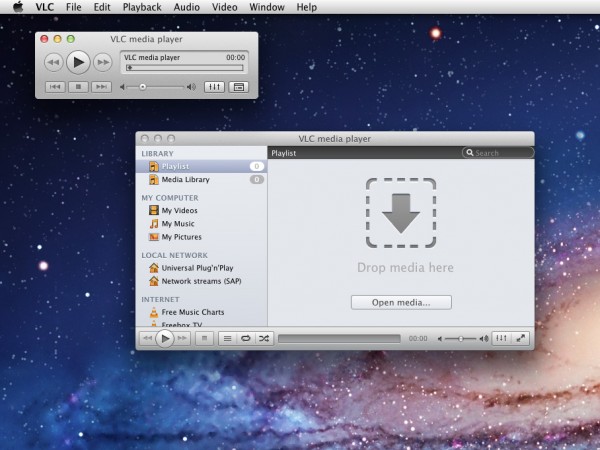
Installing in Mac OS X
Vlc Media Player For Mac Cnet
- Download VLC installation file from the location mentioned above (VideoLAN website).
- Locate the downloaded file which will be named something like vlc-2.1.0.dmg
- Open the file. After verifying the contents of the file, it will open.
- Click and drag the VLC icon to the applications folder. Release it.
- VLC will be copied to your applications folder.
- Double click on VLC media player (the icon with the cone). Provide it the permissions if your Mac computer asks for it.Â
- VLC Media Player will launch for the first time. Use it to play all your media with ease.