Mendeley For Mac
- Mendeley For Mac Pages
- Mendeley For Mac 10.13
- Mendeley For Mac Os X 10.9.5
- Mendeley For Mac Os Sierra
- Mendeley For Mac Crashing
- Download Mendeley For Macbook
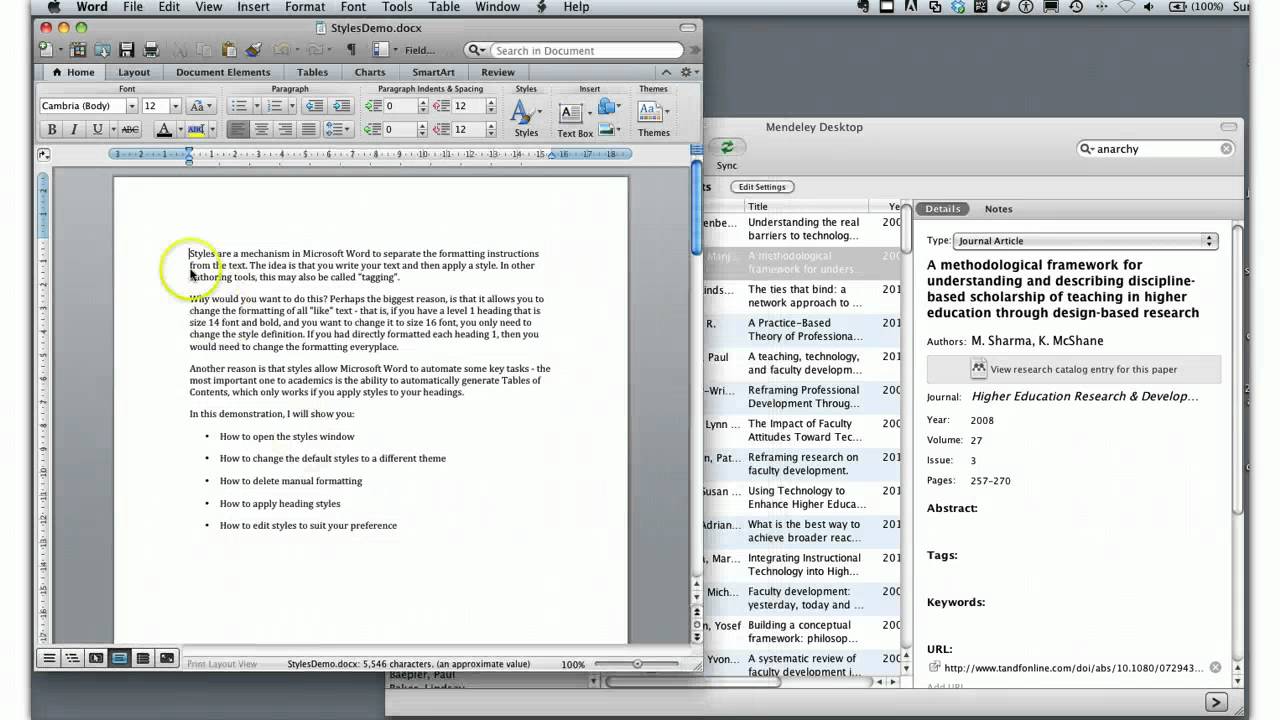
Mendeley Desktop for Mac is a free reference manager and an academic social network. Manage your research, showcase your work, connect and collaborate with over five million researchers worldwide. Mendeley is the one of the most important software needed by every researcher. This guide will help with all the features and functions of Mendeley Software. This will guide you how install, make folders, use in MS word and troubleshoot it. Remember: Mendeley is Free to download so don’t search for.
Mendeley for Mac provides an useful solution to document management. It has 1GB of free cloud-based storage which is also upgradable to 2GB for $5 per month, 5GB for $10, or $15 for unlimited storage. Mendeley for Mac comes with cross-platform compatibility and has a clear interface that is easy to view and navigate.
Key Features include:
Note: The steps to install the 2016 or 2013 versions of Office Professional Plus, Office Standard, or a stand-alone app such as Word or Project might be different if you got Office through one of the following: Microsoft HUP: If you bought Office for personal use through your company, see Install Office through HUP. Volume license versions: IT departments might use a different method to. Microsoft office home and business 2016 for mac.
Mendeley For Mac Pages
- All your research centralized: Securely stored and accessible across devices, you can search and sort your references, documents and notes in one place.
- Read and annotate on the go: Use Mendeley online or offline to access your PDFs on the move.
- Reference Manager: Generate your citations and bibliography in the style of your choice, with support for Microsoft Word, LibreOffice and BibTeX.
- Collaboration: Publicly or privately share reading lists, references or full-text articles. Create groups to tackle research assignments, share feedback and write papers.
- Organize: Import and organize PDFs from your computer, EndNote, Papers or Zotero.
- Showcasing your work: Connect with colleagues and peers to follow their research output. Showcase your published research to millions across the globe.
Mendeley For Mac 10.13
With Mendeley for Mac you can access your papers on the web or iOS device. Mendeley has mobile apps for iOS and Android platforms, allowing you to access your Mendeley library, read and annotate your PDFs, and keep everything in sync across all your devices.
Mendeley For Mac Os X 10.9.5
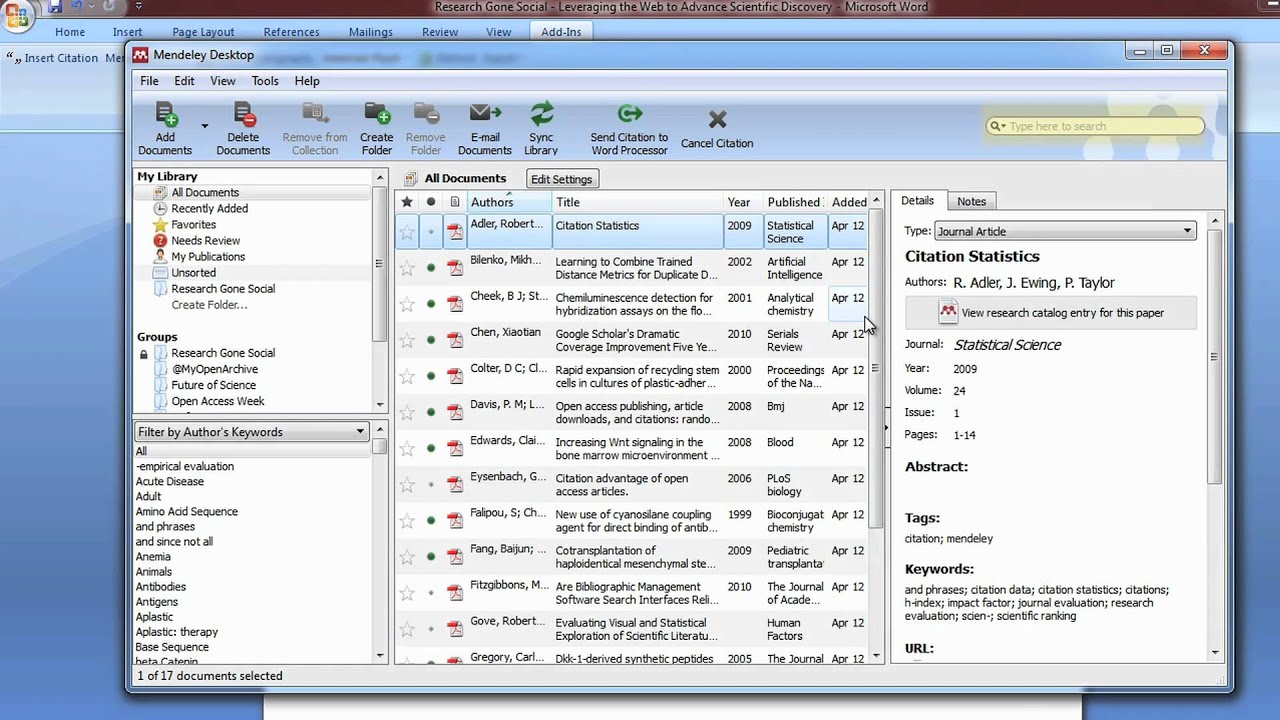
Mendeley for Mac provides an useful solution to document management. It has 1GB of free cloud-based storage which is also upgradable to 2GB for $5 per month, 5GB for $10, or $15 for unlimited storage. Mendeley for Mac comes with cross-platform compatibility and has a clear interface that is easy to view and navigate.
Mendeley For Mac Os Sierra
Key Features include:
Mendeley For Mac Crashing
- All your research centralized: Securely stored and accessible across devices, you can search and sort your references, documents and notes in one place.
- Read and annotate on the go: Use Mendeley online or offline to access your PDFs on the move.
- Reference Manager: Generate your citations and bibliography in the style of your choice, with support for Microsoft Word, LibreOffice and BibTeX.
- Collaboration: Publicly or privately share reading lists, references or full-text articles. Create groups to tackle research assignments, share feedback and write papers.
- Organize: Import and organize PDFs from your computer, EndNote, Papers or Zotero.
- Showcasing your work: Connect with colleagues and peers to follow their research output. Showcase your published research to millions across the globe.
Download Mendeley For Macbook
With Mendeley for Mac you can access your papers on the web or iOS device. Mendeley has mobile apps for iOS and Android platforms, allowing you to access your Mendeley library, read and annotate your PDFs, and keep everything in sync across all your devices.
Word keyboard shortcut for subscript. Format text values as superscript or subscriptThis works well when you want to present data in a visually appealing format. Tip: Although Excel doesn’t have quick keyboard shortcuts to these commands, you can navigate the menus and dialogs with just the keyboard. To format numeric values or formulas for a mathematical, chemical, or other type of technical expression,.Select characters in a cell or cell range that you’d like to format.On the Home tab, in the Font group, click the Font Settings dialog box launcher.ORPress CTRL+1.Under Effects, check the Superscript or Subscript box, and click OK.