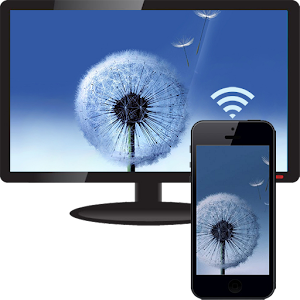
Mirror For Samsung Tv Mac Free
Mirror for Samsung TV 3.5.2 - Mirror your Mac to any Samsung Smart TV. Download the latest versions of the best Mac apps at safe and trusted MacUpdate. Screen mirroring mac to tv without apple tv is possible with chromecast. If you are wondering how do i mirror my mac to tv then this video is exactly going to show how you can do screen mirroring.
- The latest version of Mirror for Samsung TV is 3.5 on Mac Informer. It is a perfect match for the General category. The app is developed by tv.airbeam.
- Samsung mirror feature enables Samsung users to magnify their device screen on larger screen devices like Samsung TV, Samsung computer, TV magnifiers, and other smart TVs. You simply need an HDTV using the AllShare Cast Wireless Hub to mirror Samsung Screen to Smart TV. The HDTV using the AllShare Cast Wireless Hub doesn’t cost a fortune from online stores like Amazon, Alibaba, AliExpress.
Samsung Smart TV has become one of the most popular TV brands due to its good performance and better picture quality. With it, you will be able to watch TV series, listen to music, and even play games. But the media resources in Samsung Smart TV are limited, and there are times when you cannot find movies or programs you want to watch on the TV. While you can access more resources on PC, and it will be great if you can mirror your PC screen to TV and watch more videos you like on a bigger screen. In this case, you can rely on the following ways to mirror PC to Samsung Smart TV.
Practical ways to mirror PC to Samsung Smart TV
This is a USB-like device and you can display any activities you do on your PC onto the Samsung TV including watching videos, live streaming, and so on with the help of this tool. Besides, this device is compatible with Windows, Mac, Android, and iOS devices. See the steps below on how to mirror PC to Samsung Smart TV. Enter to Search. Mirror Cast for Samsung TV for iPhone. Free Erik Volk iOS Version 2.1.1 Full Specs. Any unused portion of a free trial, if offered, will be forfeited when the user.
2015-7-24 WineBottler for Mac简称为 wine for mac,是一款可以让你在Mac上安装Windows软件的工具。有了wine mac 用户可以在Mac上安装IE浏览器、NotePad等Windows软件,还可以运行.exe或.msi文. 2018-8-29 winebottler mac破解版是一款可以在mac上运行windows软件的工具,让你能够在Mac上安装Windows软件,主要用于来运行exe程序,双击.exe文件,wine mac就可以帮您直接运行它,十分好用!. WineBottler packages Windows-based programs snugly into OS X app-bundles. No need to install emulators or operating systems - WineBottler uses the great open-source tool Wine to run the binaries on your Mac. 
HDMI Cable
The first tool you can use is HDMI Cable. This cable can connect your PC to TV and stream anything on your computer to TV, such as videos, audios, games, images and a lot more. On the other hand, there are different kinds of HDMI Cables. Just make sure that you get the right one for your PC and TV. Here are the steps on screen mirroring PC to Samsung Smart TV with HDMI Cable.
- Get a HDMI cable, and make sure that the cable is compatible with both computer and TV.
- Use the cable to connect your computer and TV.
- Turn on the Smart TV and select the HDMI input as the input source.
- Afterwards, your PC screen will be mirrored to Samsung Smart TV successfully.
Pros
- Easy to set up.
- It can carry high resolution and frame rate.
Cons
- It has distance limitation approximately up to 5 meters.
Chromecast
Chromecast is the next tool we can get to use. This is a USB-like device and you can display any activities you do on your PC onto the Samsung TV including watching videos, live streaming, and so on with the help of this tool. Besides, this device is compatible with Windows, Mac, Android, and iOS devices. See the steps below on how to mirror PC to Samsung Smart TV.
- Get your Chromecast dongle ready, and set up the device. Then connect it to your TV.
- On your PC, open Google Chrome browser, just make sure you are using the latest version. If you don’t have one, you can download it.
- After that, click the menu icon on the upper right of the browser and find the “Cast” tab to display on another screen.
- When a new window pop up, click the drop down “Cast to” menu then select “Cast tab” or “Cast desktop”.
- Once you are done, click “Cast” icon to mirror your PC screen to your Samsung TV. Then you can avail all the PC media files on your TV.
Pros
- It is one of the cheapest streaming devices in the market.
- It can stream various of contents, including videos, apps and games.
Cons
Payroll for mac. © 2019 Intuit, Inc. All rights reserved. Intuit, QuickBooks, QB, TurboTax, ProConnect and Mint are registered trademarks of Intuit Inc. Terms and conditions.
- It doesn’t support 4k resolution.
Samsung Smart View
If you want to screen mirroring laptop to Samsung TV wirelessly, then you can use Samsung Smart View, it is a perfect app that meets your needs. It can stream any content stored on your computer like movies and videos, audios and other files to your TV. Besides, this app supports subtitles in different languages on your videos. It is compatible with Windows 7, 8, 8.1 and 10. Follow the guide below to view your PC screen activities on your Samsung TV.
- Download Samsung Smart View on your computer then install it.
- On your TV, check your connection by going to the “Menu” > “Network” > “Network Status”.
- Launch the app on your computer then click “Connect to TV” and select the name of your TV.
- Input the PIN displayed on your TV and click “OK”.
- After that, click “+ Add Content” and select files that you want to import, then hit the “Play” button. Then you can view your PC files on your TV
Pros
- It supports to connect PC to Samsung Smart TV wirelessly.
- It is compatible with multiple devices.
Cons

- Need stable internet connection.
Conclusion
These are the easiest solutions that you can use to connect PC to Samsung Smart TV and access PC media files on TV. They are at handy and easy to use. Go and mirror your PC to Samsung TV now to enjoy more videos and other media files on your TV on a bigger screen.