Viber For Mac
Question: Whenever I try to use Viber on my MacBook it won’t open. So what can I do to fix Viber for Mac not working issue?
Viber for Mac OS is one of the most popular versions of the world-famous messenger that was developed to meet all the needs of Mac OS –based devices. The program has been popular since 2010 and currently offers numerous versions for mobiles, tablets, PCs and laptops with different operating systems. Always secure. Our mission is to protect your privacy so that you never have to think twice about what you can or can't share when you're using Viber. Viber for Mac Free Download: Viber for Mac is one of the excellent and amazing instant messaging applications for your Mac PC. Download Viber for Mac Free. Download Viber for Mac Free. Viber for Macbook is the best messaging application, which enables you to send text messages otherwise you can make audio or video calls, from your PC to Mobile devices just with the help of internet connection. Transfer iPhone/Android Viber Message History to Mac or another iPhone/Android. If you have two iPhone/Android devices or one iPhone and one Android, it's always wise to find a tool to help you manage Viber Chat History for your iPhone/Android devices or to transfer Viber Chat Messages between iPhone and Android.
While frequently compared to Kik, Viber is a very different app which could even be considered as much more popular. Although this is the case, it wouldn’t be fair to say that Viber is a perfect app. Recently some users have been noticing that Viber won’t open on Mac. There are a few reasons for this: the app’s system files may be corrupt, there may be a bug within the app, or the issue might actually be with your computer.
Regardless of what the problem is that is causing Viber not working on your Mac, we’re going to show you some basic fixes that will effectively deal with this problem.
1. Download The Latest Viber for Mac
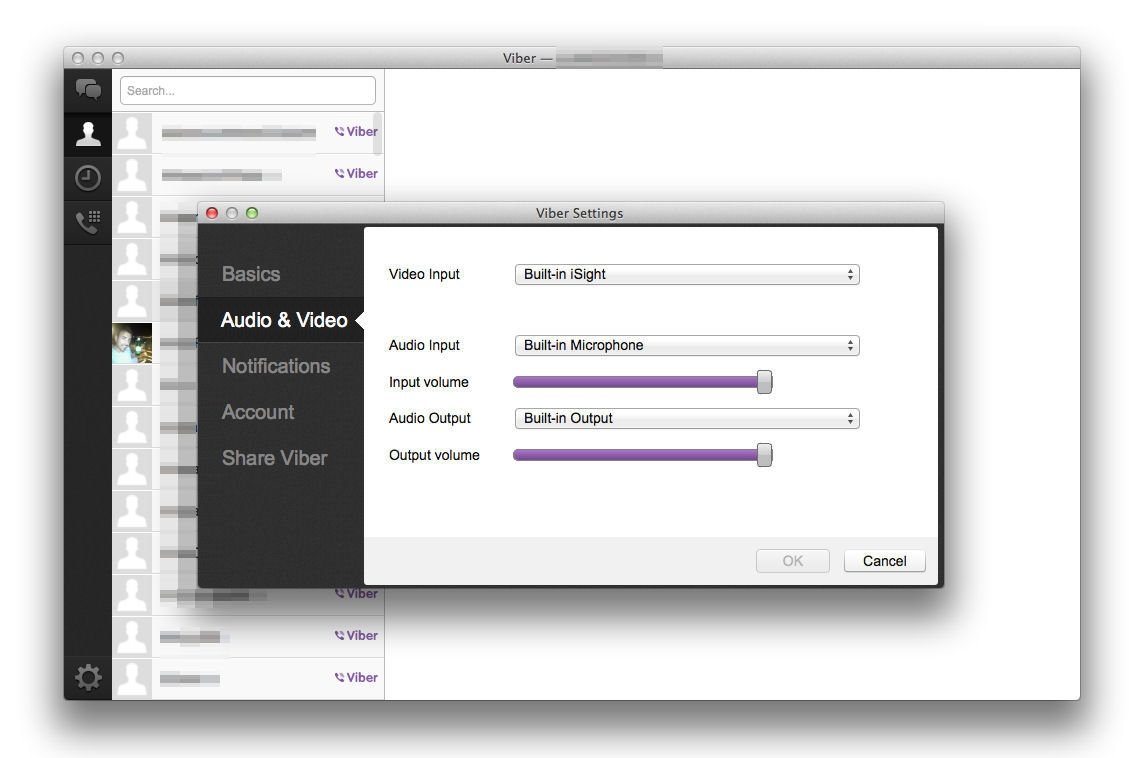
This is the first thing that you should do whenever you run into a problem with any type of software-related problem. Simply updating Viber will make sure that there are no problems with the app and if any known problems were patched, updating will fix them.
Step 1: Uninstall Viber by going to the file path “/Library/ApplicationSupport/ViberPC” and deleting the entire ViberPC folder.
Step 2: Go to the Viber website and redownload the most recent Mac version via clicking here.
Step 3: Once it’s downloaded, launch the installation file and follow the setup steps to have the latest Viber version installed.
It’s likely that there’s a problem with the app, however, most people activate the auto-update feature so that all of their apps are updated automatically. Therefore, if you have this feature enabled, the problem is elsewhere.
2. Deactivate The Mac Firewall
The idea of deactivating your firewall can be daunting and worrying to do. That being said, we are only going to be temporarily deactivating it to check whether or not the issue is because of your Mac blocking a Viber connection.
Step 1:Click on the Apple icon at the top-left of your display and click “System Preferences”.
Step 2: Select the “Security & Privacy” option and then click the “Firewall” tab.
Step 3: Click on “Turn Off Firewall” and wait a few seconds.
Step 4: Once it is deactivated, check if Viber will open and if it functions properly.
If this fixes it and you no longer experience Viber won’t open on Mac, re-enable the firewall and use alternative anti-virus software.
3. Upgrade The Activation Code Error
For those of you who use Viber on both their Mac and their smartphone, there could be a problem with the activation code that was used. This is relatively easy to fix and will take no more than a few minutes to deal with.
Step 1: Update Viber on your smartphone if it isn’t up to date.
Step 2: Open Viber on your Mac and when prompted to do so, enter the activation code from your smartphone into Viber on the Mac.
Step 3: If this is the issue, Viber will now be fully functional.
Most of the time only the official activation code is accepted but, in some cases, it isn’t stored properly or is simply wrong - even though it was accepted.
Then, select the recording option. Screen record for mac. Check out the short guide below on how to capture video on Mojave.First, press Command + Shift + 5 to open the toolbar. To capture the entire screen, choose the Record Entire Screen option and click anywhere on the screen. To capture a part of the screen, select Record Selected Portion, specify the area for recording, and then click Capture.To finish recording, click the Stop button in the menu bar next to the time display.
4. Check “info.plist.file”
If you don’t want to go through the hassle of uninstalling and reinstalling Viber until you are sure that it’s outdated, you can check the “info.plist.file” data file to see what version of Viber is installed.
Step 1: Open the folder for your Applications and locate the Viber app.
Step 2: Hold down the CTRL key on your keyboard, click on the Viber icon, and click “Show Package Contents”.
Step 3: From the folder that is shown, open the 'info.plist.file' and look for the two strings entitled “CFBundleShortVersionString” and “CFBundleVersion”.
Step 4: Compare the version numbers below these strings to the ones that are on the Viber website.
If the version which is stored in this file is different to the most recent version of Viber which is available on the app’s website, go back to the first fix that we showed you and follow those steps.
Tips: What If Lost Viber Data on iPhone?
The chances are that one of these fixes will help with Viber on Mac not working but you might notice that your Viber data has lost afterwards. As scary as this is, we can help you to recover the data by using a professional iOS data recovery tool - iMyFone D-Back iPhone Data Recovery (Supports iOS 12).
- 4 different data recovery modes are available.
- There is no risk of data loss when using this program.
- Try it for free before you buy.
- You can recover data after it lost due to corruption or accidental deletion and etc.
- Fix any iOS issues that you’re experiencing using the iOS repair feature.
For the solution below, we are going to focus on recovering Viber data directly from your iPhone. Before you follow these steps, download and install iMyFone D-Back onto your computer.
Step 1: Connect your iPhone to the computer and open up iMyFone D-Back.
Step 2: Click on “Recover from iOS Device” from the menu, then click “Start” to begin.
Step 3: When the data types menu is shown, tick the “Viber” data type, click “Next”, and then click on “Scan”.
Step 4: Once the scan is complete, simply select the Viber data that you want to have recovered, click on “Recover”, and you’ll find it on your computer straight away.
Quick, efficient, easy to use - there are no better words to describe iMyFone D-Back. You can use this same solution to recover other iOS data like WhatsApp, Kik, Line, WeChat and more. If you cannot find what you want directly on your device, you can also try to recover from your iTunes or iCloud backup with D-Back.
Now that you have a better understanding of why Viber won’t open on Mac and how you are able to fix it, you can get back to messaging your friends and taking advantage of the app. As you can see from the different solutions that we’ve explained throughout this article, the best thing that you can do is use iMyFone D-Back. Not only can you use it to recover your lost Viber data, but if you go ahead and install the free trial version, you’ll see all of the features (and much more!) that we discussed above.
You may also like:
Viber Standalone Installer Free Download:
Install Viber On My Laptop
Download Viber standalone offline installer for windows. Viber is a free communication software developed by Viber Media Inc. If you want to install Viber software on your windows but you don’t due to slow internet connection. Today on this page, we have managed and share Viber offline installer for windows. Follow the download link by clicking on download button mentioned below. Once you have downloaded Viber offline setup then no need to an internet connection for installation. The download link is fully safe and secure from viruses, malware, and spyware.
Viber For Mac 10.10.5
Viber offline installer is the best communication software for windows. You stay connected friends, family, relatives & everyone through Viber app in any corner of the world. Viber offline installer assists you to send text messages free and lets you make free audio, videos calls to your besties & other Viber users. Millions of their Viber users worldwide to send text messages, audio messages, video calls, audio calls to each other by using wifi connection or 3g/4g data. You May Also Like: SHAREit Offline Installer For Windows
No need to create an account and login or ID. Your phone number is your ID. when you enter a phone number in Viber then you receive a code for verification via text message. Viber software syncs your contacts list, and automatically detect your contact who have on Viber.
Download Viber Offline Installer:
Download viber standalone offline installer 2019 for all windows versions. Viber offline installer lets you make increase your communication skills. This viber offline installer version for those who have slow internet connection for installation. Simply download viber offline installer for your windows device. Make HD quality audio calls and Video calls to everyone around surrounding or worldwide. You should also send photos, files, documents and other important files to your family members, friends and relatives that makes possible by Viber offline installer. Viber offline installer is the new version that includes many functionalities and methods.
Features of Viber Offline installer:
Download And Install Viber
- Free communication software
- Sync phone contact to PC
- Block and unblock contacts
- Thousands of stickers
- High quality audio and video calls
- Switched off notifications and screen light
- Messages & call free to other viber offline
- Group conversation up to 100 participants
- Available sticker market, where you can download stickers
- Share music, videos, events, and favorite websites to chat
- Share upto 200 MB files
- Contact share with another
- Public accounts and build your own community
- Much more
Download Viber offline Installer 2019:
Viber For Mac Os X 10.7.5
Download Viber offline installer 2019 latest version for windows devices from the download button. Just single click on mentioned download button at the top sidebar to start download your file.