Data Recovery Service For Mac
MAC Data Recovery. MAC Data Recovery of lost files. File recovery is a very delicate procedure for finding the lost images or data files. MAC hard-drives can be damaged when the laptop falls. The rotating heads of a hard-drive hit together and corrupt the data stored. The spinning platelets spin at a high rate reading all the data. Mac data recovery services. LC Technology performs data recovery services for hard drives, flash drives, digital media cards, SD cards, microSD cards and more. If you have a digital device, we recover it. From the novice to government agencies, we recover their data. Aug 07, 2014 Apple Mac Data Recovery from Different Storage Media. Different Macs utilize different types of media storage. ACE Data Recovery has the experience, tools and knowledge base to retrieve your data whether you have a Mac desktop or laptop of any model. ACE Data Recovery is known for recovering data from hard drives our competitors have deemed unrecoverable. Sep 19, 2018 Here are The Top 5 Best Hard Drive Data Recovery Services For Windows & Mac 2018 So Don't Worry Now Select Your Favorite Data Recovery Software Now For Free 2018.
Jun 21, 2019 The FaceTime is an official app and any person around the world can use it. Users can make video calls as well as audio calls using the FaceTime App. The visuals are of HD quality and resolution depends on the respective device. The users can connect different devices like PC, FaceTime on Windows, iPhone & Mac without any issues. Aug 28, 2014 Apple FaceTime for Mac lets you take advantage of your computer's larger screen to get a good look at the family and friends you're talking to. You can make. Facetime for mac. Mar 25, 2019 Use FaceTime on your Mac. Learn how to use FaceTime to make video and audio calls with one or more people. To use FaceTime for audio or video calls, you need an Internet connection and a built-in or connected microphone or camera. Then simply open the FaceTime app and sign in with your Apple. Sep 24, 2019 Open the FaceTime app and sign in with your Apple ID. You can also do this from Settings FaceTime. If you're using an iPhone, FaceTime automatically registers your phone number. To also register your email address on your iPhone, go to Settings FaceTime Use your Apple ID for FaceTime, and sign in with your Apple ID. Download FaceTime and enjoy it on your iPhone, iPad, and iPod touch. Connect with family and friends around the world with FaceTime. Make audio and video calls from your iPhone, iPad, and iPod touch to other iOS devices or even a Mac. Features. Reach contacts using their phone number or Apple ID. Make both video and audio calls.
by Bryan, 2015-07-21
Do you want to recover lost files from a formatted or erased Mac? Many of Mac users become desperate after data loss because that they think their files are permanently lost. They may send their Macs to a professional Mac data recovery service provider (it is expensive typically) to ask for help. Actually, your files are not permanently lost and you can recover these lost files by yourself in most cases. You just need the right Mac data recovery service software to help you.
Mac Data Recovery Service Software
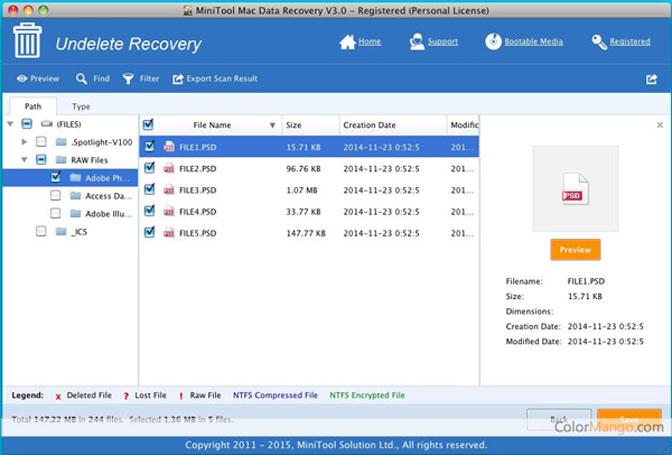
First of all, please stop using your Mac after data loss to prevent original data from being overwritten. Then download and run the Mac data recovery service software – Do Your Data Recovery for Mac immediately to reclaim your files. Do Your Data Recovery for Mac is a completely DIY Mac data recovery software tool. It is very easy to use due to simple & clean interface design. It can rescue data in most data loss cases, such as deleting, formatting, OS crash, power failure, OS crash, virus infection, volume loss, disk becomes inaccessible etc. It takes only three steps to complete recovery: choose file types – tell where you lost the files – preview and recovery, as easy as 1-2-3.
Iphone Data Recovery For Mac
This Mac data recovery service software provides two recovery modes to ensure finding every recoverable file. But please be patient, it needs time to scan and find what you have lost. Obviously, it takes much less time than you send your Mac to a business data recovery service provider. You can do the recovery at home, in your office or even at Starbucks. Mac data recovery service software saves your time and money.
You can recover lost files from your Mac desktop, notebook or Mac based hard drive, as well as retrieve lost files from digital device, storage media. Do Your Data Recovery for Mac provides pro, enterprise and business edition for users on different levels. Please check the version comparison page to learn more information.
Related Articles
Data Recovery Service California
Recommended Products
Do Your Data Recovery for Mac Professional
Reliable Mac data recovery software to recover deleted, formatted or lost files from Mac or storage media.
DownloadDo Your Data Recovery for iPhone - Mac version
Best iPhone data recovery software for Mac users to retrieve lost contacts, photos, videos, call history, SMS etc.
Download
Hot Articles
Mac Data Recovery