Rollercoaster Tycoon For Mac
Roller Coaster Tycoon 3 For Mac
The nice thing about using highlights is that you can alsoadd comments to the highlighted text.If you’re ready to start making your words stand out, here’show to highlight text in Pages on Mac and iOS. Highlight text in Pages on MacWith Pages open to the document where you want to highlightsome text, follow the steps below.1) Select thetext by dragging through it or double-clicking it.2) Click Insert Highlight from the menu bar or use the keyboard shortcut Shift + Command + H. You can selectand highlight text so that it’s more noticeable to you or someone you’re collaboratingwith on the document. When you’re working in Pages on your Mac, iPhone, or iPad,highlighting text is a handy way to make something stand out. How to search for words on a web page mac.
- Rollercoaster Tycoon Free Download Mac
- Rollercoaster Tycoon For Mac Free
- Rollercoaster Tycoon 2 For Mac
Game Details: Welcome to the “Rollercoaster Tycoon 2” for Mac game page. This page contains information + tools how to port Rollercoaster Tycoon 2 in a few very simple steps (which even a noob can understand) so you can play it on your Mac just like a normal application using Crossover. Mar 11, 2019 Download RollerCoaster Tycoon Classic on MAC via Nox App Player Before everything else, all you need to do is download Nox App Player. After you have downloaded the emulator.
Hello everyone, how are you all doing today? I hope you are all having a great day so far. My week has on the other hand has been pretty good, not the best but certainly not the worst. Another round of ups and down but as always, I remain hopeful and confident that my future will be brighter than my past. I hope you all feel that way. Anyway, please read on…
Today we will highlight an awesome game for Macbook and iMac gamers from all around the world. I present to you, RollerCoaster Tycoon 3 Platinum! Yes, believe it or not the creators of this game, Aspyr Media, Inc decided not to have a space between roller and coaster, lol must be their way of trying to be be hip. Let’s find out what makes this game a must download.
What Is RollerCoaster Tycoon 3 For Mac
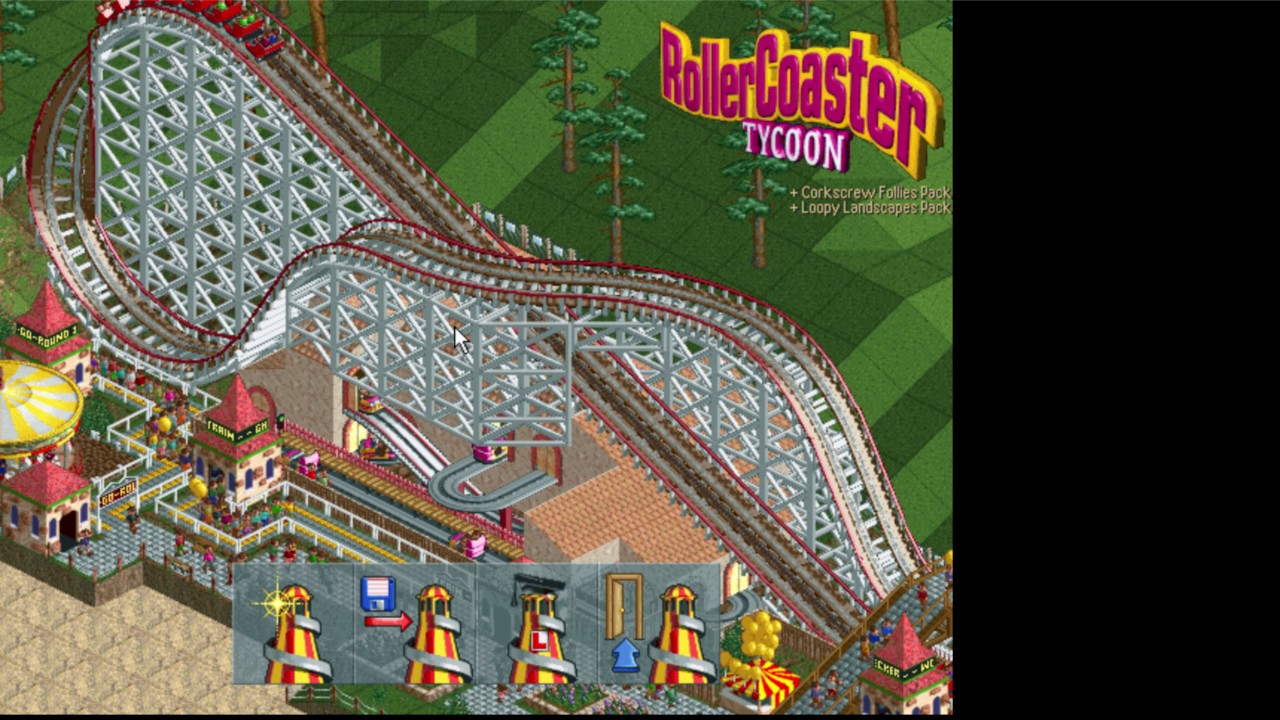
RollerCoaster Tycoon 3 Platinum combines the excitement of rollercoasters with the fun of a great strategy simulation. This special “Platinum” version combines the theme park fun of Roller Coaster Tycoon 3 with included expansion packs, RollerCoaster Tycoon 3 Soaked! and RollerCoaster Tycoon 3 Wild.
Now enjoy more options than ever by building your own water slide or create your own safari with real animals. Watch guest reactions to your ultimate theme park! Ride your own rides! You can even build your own dream park with unlimited funds in the “Sandbox” mode.
Install RollerCoaster Tycoon 3 For Mac
RollerCoaster Tycoon 3 For Mac Gameplay Screenshots
Remember to like our facebook and our twitter @macheatdotcom for a chance to win a free iPad Pro every month!
Quick Links: Download Kim Kardashian For Mac Download Luminar For Mac Download Star Wars Empire At War For Mac Download Motion For Mac Download Farming Simulator 17 For Mac Download Magnet For Mac Download Navicat Premium Essentials Download Civilization VI For Mac Download Pub Editor Pro For Mac Adware Doctor For Mac Download Affinity Designer For Mac Download Harrison’s Principles of Internal Medicine For iPhone Download Banktivity 5 For Mac Download Human Anatomy Atlas For Mac Best Music Editor Apps For Mac Apps To Speed Up Your Mac Download Excel For Chrome Best Video Editor Apps For Mac Top 5 Media Players For Mac Download Fallout Shelter For Windows 10 Best PDF Editors For Mac Download Vimix Theme Download Duolingo For Android Best Strategy Games For Mac Top Action Games For Mac Best Antivirus Apps For Mac Best Remote Desktop Apps For Mac
Retrieved 23 April 2019. Retrieved 23 April 2019. ^. Ros download windows 10. Retrieved 29 April 2019. Retrieved 29 April 2019.
Apple’s Post Of The Day: Download Quicken 2017 For Mac
Download RollerCoaster Tycoon Touch on your computer (Windows) or Mac for free. Few details about RollerCoaster Tycoon Touch:
- Last update of the app is: December 19, 2017
- Review number on 17/12/2017 is 126567
- Average review on 17/12/2017 is 4.3
- The number of download (on the Play Store) on 17/12/2017 is 1,000,000 - 5,000,000
- This app is for
Rollercoaster Tycoon Free Download Mac
Images of RollerCoaster Tycoon Touch
Few simulation games who can interest you
#1: how to install RollerCoaster Tycoon Touch for PC (Windows) and for MAC (step by step)
- Step 1: Download Bluestack (click here to download)
- Step 2: Install Bluestack on your computer (with Windows) or on your Mac.
- Step 3: Once installed, launch Bluetsack from your computer.
- Step 4: Once Bluestack opened, open the Play Store on Bluestack (connect with your Google Account or create a new Google Account).
- Step 5: Search RollerCoaster Tycoon Touch in the Play Store.
- Step 6: Install RollerCoaster Tycoon Touch and launch the app.
- Step 7: Enjoy playing RollerCoaster Tycoon Touch from your computer
#2: how to use RollerCoaster Tycoon Touch on PC (Windows) and on MAC (in 6 steps))
- Step 1: Go on Nox App Player website and download Nox App Player by click here (for PC) or click here (for Mac)
- Step 2: Install Nox App Player on your computer or on your max fy following the instruction displayed on your screen.
- Step 3: Once the software is installed, launch it by clicking on the icon displayed on your screen.
- Step 4: Once Nox App Player is launched and opened (it needs few seconds to launch), open the Play Store (by connecting through your Google Account or create a new one).
- Step 5: Search RollerCoaster Tycoon Touch (app name) inside the Play Store.
- Step 6: Install RollerCoaster Tycoon Touch and launch the app from Nox App Player: now you can play or use the app on your computer 🙂
- Step 7: Enjoy playing RollerCoaster Tycoon Touch from your computer
Compatibility
List of the OS who are compatible with the game RollerCoaster Tycoon Touch
- Windows 8
- Windows 7
- Windows Vista
- Windows XP
- Windows 10
- macOS Sierra
- macOS High Sierra
- OS X 10.11
- OS X 10.10
- Other mac versions
Install RollerCoaster Tycoon Touch on Android
- Launch the Play Store from your Android device (Galaxy S7, Galaxy S8, etc.)
- Enter RollerCoaster Tycoon Touch in the search bar and press on “see” or “go”.
- Click on “install” to launch the install of the game (or the app) (green button).
- Finished! You can now play to RollerCoaster Tycoon Touch (or use the app RollerCoaster Tycoon Touch) on your phone and your Android device.
Warning: the game RollerCoaster Tycoon Touch (or the app) have to be downloaded, si it could takes few seconds to few minutes to download. To know when RollerCoaster Tycoon Touch is downloaded and installed, go on your home screen of your Android Device and check if the app icon is displayed.
Install RollerCoaster Tycoon Touch on Iphone
Rollercoaster Tycoon For Mac Free
- Launch the App Store from your IOS Phone (Iphone 5, Iphone 5S, Iphone 6, Iphone 6s, Iphone 7, Iphone 8, Iphone X or your Ipad for example).
- Enter RollerCoaster Tycoon Touch in the search bar and press on the icon of the app to enter on the app details.
- Click on “install” to launch the download and the install of the app (green or blue button).
- Finished! You can now use the app RollerCoaster Tycoon Touch (or play ;)) on your Iphone or your Ipad.
Warning : the install of the app can takes few seconds to few minutes because you have first to download the app, and then your IOS device will install it, be patient. Once installed, you will see the RollerCoaster Tycoon Touch icon on your home IOS screen (iOS 11, iOS 10, iOS 9, iOS 8 ou iOS 7)
Rollercoaster Tycoon 2 For Mac
Official Play Store link: https://play.google.com/store/apps/details?id=com.atari.mobile.rctempire