Netflix For Mac
Netflix for pc is an American over the top media services provider, Los Gatos, California. The company’s primary business is its subscription-based live streaming video (Founded in 1997 California) service, which offers online streaming of a library of films and television programs including those produced in-house. Netflix for pc initial business model included DVD sales and rental by mail, although Hastings jettisoned DVD sales about a year after Netflix’s founding to focus on the DVD rental business. Netflix download expands its business with the introduction of streaming live videos media while retaining the DVD and Blu-ray rental service.
The company expanded internationally, with streaming videos made available to Netflix Canada and continued growing its streaming service by January 2016, Netflix services operated in over 190 countries. Netflix app for pc is the world’s leading subscription service for watching TV episodes and movies on your phone. Netflix for Windows 7 application delivers the best experience anywhere, anytime. Get the free app as a part of your Netflix membership and you can instantly watch thousands of TV episodes & movies on your phone. If you are not a Netflix member sign up for Netflix download and start enjoying immediately on your phone with our one-month free trial.
How to work Netflix Application
- Silverlight is the browser plug-in that allows you to watch TV shows and movies on your computer. Follow the steps below to install the Silverlight plug-in on your Mac computer. Open Netflix and select any title to play. When a Silverlight dialog box opens, select Install Now. Open the Downloads page and double-click on Silverlight.dmg.
- While Mac users are out in the cold - Netflix has made it possible for Windows users to download Netflix content on their PCs. If you are running Windows 10 you can install the free Netflix app.
- Most devices provide Netflix as a pre-installed app that you can access from the main menu, or from a Netflix button on your remote. If you are unable to locate Netflix from the main menu or remote, it's possible that your device has an app store you can download the Netflix app from.
About Netflix APP for MAC. Netflix gives you access to the latest movies and series. These include, among other productions from Hollywood and their series of the streaming platform. The app offers popular series and suggestions based on the films you watch. Also, the collection can filter by genres such as action, drama, comedy or romance. Netflix is a streaming service that offers a wide variety of award-winning TV shows, movies, anime, documentaries, and more on thousands of internet-connected devices. You can watch as much as you want, whenever you want without a single commercial – all for one low monthly price.
- Netflix for pc gives you can to access unlimited TV shows and movies for one low monthly price.
- With the Netflix for mac you can instantly watch as many TV episodes & movies as you want, as often as you want, anytime you want.
- Search for titles and watch immediately on your phone list of supported devices.
- Pay user watching channel only favorite shows and movies tell us what you like so Netflix for pc can help suggest the best titles for you.
- Start watching on one device, and resume watching on another.
- Check out netflix.com for all the TVs, game consoles, tablets, phones, Blu-ray players and
set top boxes on which you can watch Netflix.
Netflix for pc
Netflix for free in one-month membership offer is available for the first time and certain former members with any other offer. Netflix for pc Internet access and valid payment method are required to redeem offer. Netflix Application will begin to bill your payment method for the Netflix membership at the end of the free month unless you cancel priority the first month. Netflix offline Windows 7 membership is a monthly subscription that you can cancel at any time. Go to “Your Account” on the Netflix website for cancellation instructions. No refund or credit for partial monthly subscription periods. A device that streams from Netflix on the laptop and broadband Internet connection is required to watch instantly.
Entertainment and services
Netflix has been one of the most successful dot-com ventures. In September 2002, The New York Times reported that, at the time, Netflix mailed about 190,000 discs per day to its 670,000 monthly subscribers. Netflix Application company’s published subscriber count increased from one million in the fourth quarter of 2002 to around 5.6 million at the end of the third quarter of 2006, to 14 million in March 2010. Netflix’s early growth was fueled by the fast spread of DVD players in households, in 2004, nearly two-thirds of United States homes had a DVD player. (Netflix download, Netflix for mac, Netflix offline windows 7, Netflix for iphone, Netflix for ipad, Netflix for ios, Netflix on laptop)
Netflix’s video on demand streaming live service, formerly branded as Watch Now, allows subscribers to stream television series and films via the Netflix website on personal computers, or the Netflix software on a variety of supported platforms, including smartphones and tablets, digital media players, video game consoles and smart TVs. Netflix Application can be you probably use web-browsers to watch it, because Netflix doesn’t have an APP for Mac. First, if your 2016 Netflic for Macbook Pro/Air is running Mac OS X the Captain or Yosemite, Netflix movie streaming is directly available in native browser latest version.
Features of Netflix
Netflix for ipad is one of the most popular video streaming service used on the iPhone, iPod Touch, iPad, Computers and even the PS4. Users with the Netflix account can virtually watch all the movies and TV shows on all these devices. However, sometimes the Netflix application becomes a pain in the back and gives different errors.
Any Problems of netflix application follow the Instructions:
- Go to Settings on your iPhone and tap on General
- Scroll down on the screen and Tap on Restrictions
- Enter the password that you previously entered for the restrictions and disable them on your iPhone.
- If you want to have the restrictions but want to disable them for the Netflix for pc, Tap on Websites under allowed content. Select one of the mentioned options on the screen.
- Now, tap on Add A Website” and add https://secure.netflix.com
- This will let you watch the Netflix videos and movies on your iPad
- And Re install application it’s work
Netflix Specification:
| Best Android Emulators | Bluestacks |
| Operating Systems | Windows 7,8/10 or Mac |
| App Developer | Netflix, Inc |
| App Updated | 1 August 2018 |
| APK Version | 6.8.0 build 28945 |
| Category | ENTERTAINMENT |
| Android Version Required for emulator | Android 5.0 |
| APK File Size | 20.3 MB |
Download and Install Netflix For PC (Windows and mac)
- Install Face Changer 2 app in PC using BlueStacks for pc
BlueStacks is an Android App Player that allows you to run Android apps on PC. Following are the steps on how to install any app on PC with Bluestacks:
- To begin, Install BlueStacks for your PC first
- Launch BlueStacks on PC
- Once BlueStacks is launched, click My Apps button in the emulator
- Search: Netflix for pc application it can be modify search and download instructions
- You will see search result for Netflix For PC just install it
- Login to your Google account to download apps from Google Play on Bluestacks
- After login, installation process will start for Netflix download depending on your internet connection.
Netflix For Mac
Netflix for PC Windows 8, Windows 10/7/XP and Mac computer. By using this great application you can edit your images, photos, videos take wonderful selfies etc.
Related searches
- Netflix for pc
- Netflix download
- Netflix for mac
- Netflix offline windows 7
- Netflix for iphone
- Netflix for ipad
- Netflix for ios
- Netflix on laptop
Direct Download
Netflix gives you the option to download shows on their Windows app, as well as Android and iOS, but there is no such thing for Mac users. For a long time now, I was looking for a way to download my favorite Netflix shows on a Mac, and there wasn’t any working solution. Until today.
So, I recently found out a way to download Netflix videos on Mac. And no, we are not talking about recording Mac’s screen. Instead, we’ll use an app called Parallels, which lets you run Windows on your Mac. Yes, you can also run Windows on the Mac with Boot Camp but that will require you to restart your Mac every time you need to switch to Windows and not to mention the complicated setup. Parallels, on the other hand, is an optimized virtual machine, so it runs Windows within macOS. The setup is simple and would take around 15 minutes. And it even works flawlessly even with a VPN, so you can watch geo-restricted shows like the office the US without any glitch. And if that’s not enough, it even lets you watch 4k content on your Mac. Sounds awesome. Let’s see how you go about it.
Download Netflix Movies on Mac
Step 1: Install Parallels on a Mac
Format external drive for mac. Go to www.parallels.com and download Parallels Desktop application for your computer. Although the single license costs $80, there is a 14 days trial with full access to the software.
Within the trial period, you won’t be bugged with any watermarks or asked for your credit card information. So, it makes sense to use this if you are going for a vacation where the internet might be expensive or non-existent.
If you like the software then you can purchase a license after trial runs its course.
Once you download Parallels’s dmg file, install it on your Mac, like you install any other software.
My favorite thing about Parallels is that the installation is extremely simple. Simply, run the software, and it’ll take care of everything, from installing Windows to configuring it. In fact, I ran the installer and went for a walk. Once I came back, Windows was ready to go. I was surprised, I didn’t have to click even a single button.
You may get a popup that would read System Extension Blocked, it means your macOS requires an exception in Security Preferences for this application. Click the button to open the Settings page and grant the permissions.
You just have to click a single button to grant the exception, click ‘Allow’ to begin the setup process. It would also prompt you to enter the macOS account credentials and authenticate the transaction before granting the exception.
It automatically fetches the Windows copy from the Windows server so you don’t have to download the Windows ISO. Parallels download an evaluation copy of Windows though. It would take a few minutes to install though as the package is around 5GB.
After downloading the setup files, Parallels would automatically begin the installation process and you would be greeted with the installation screen. If you’ve never used windows, this screen means you’re already there and it would take a couple of more minutes to finalize the settings.
After finishing the installation, you will be able to use your Windows right out of the box. No need to install any drivers or anything. It’s that simple.
After the installation is finished, Parallels will ask you to create a free account. To save some time, you can log in with your Google account and you’re up and going.
And there you go, Windows on a Mac. Cool. The Windows desktop replicates Mac’s desktop to Windows and adds all the files on the Windows desktop too which is cool. I can access my documents easily without having to manually copy the contents from macOS to the simulated Windows.
Step 2: Install the Netflix app
Next up, we need to download the Netflix app on Windows, so, open the Windows Store, search for Netflix, click ‘Get’ and there you go. You can even install Netflix without signing in to a Microsoft account. Good job Microsoft.
Now, once you have the Netflix app, log in to the Netflix app with your credentials. One thing I noticed while I was setting up the Netflix account is the overall smoothness, I mean it’s unreal. It works even better than some Windows computers out there.
I tested this on the least powerful 2015, 128 GB MacBook Air. If this work on this MacBook, it’ll work on most Macs out there.
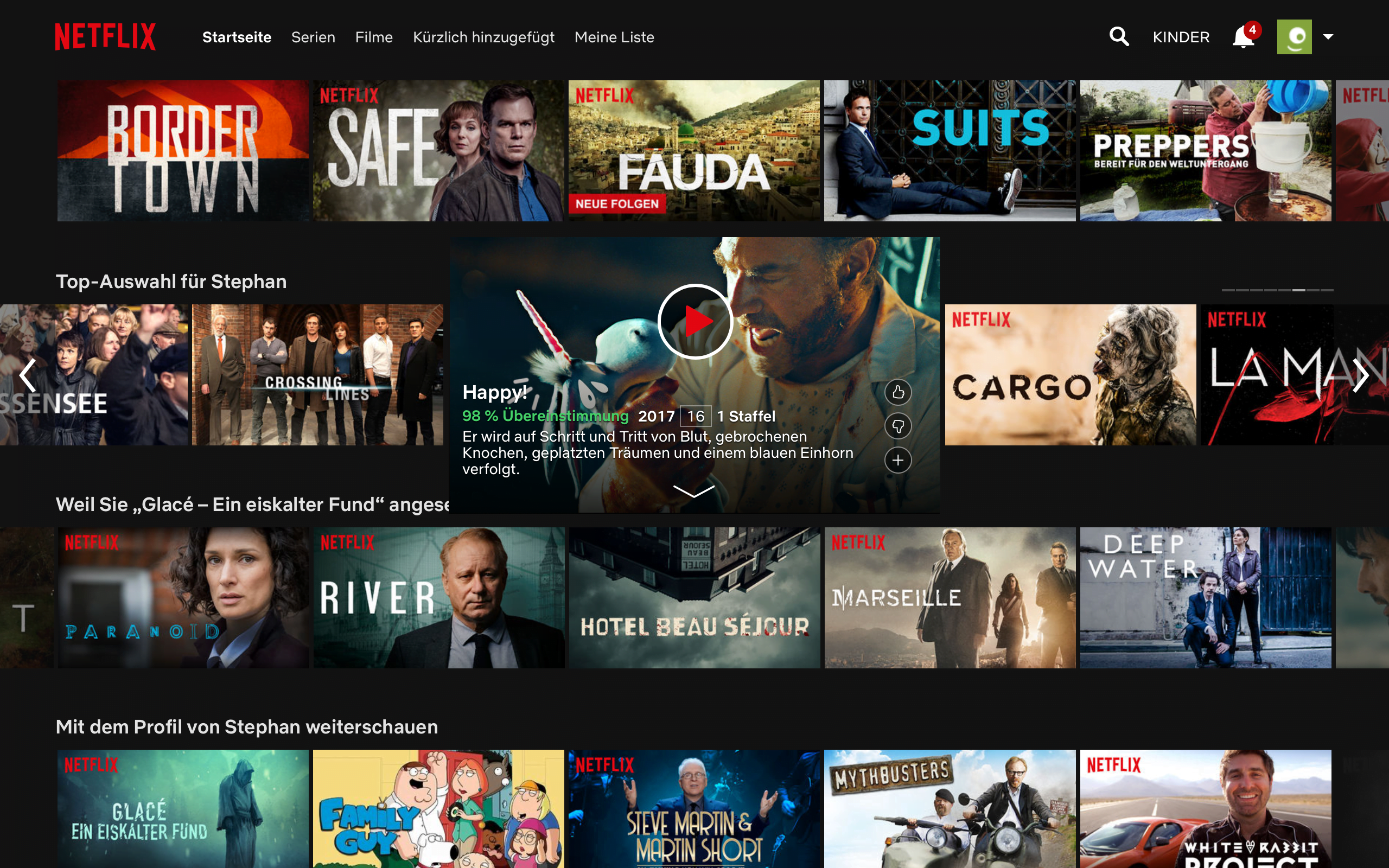
After logging in to Netflix, let’s go ahead and download something to test if it actually works. Not everything is available to download though, to find the shows, available for download, go to the ‘Available for Download’ section in the menu. If the title you want to download from Netflix isn’t available for download, then you got no other option than to capture the screen as you watch it.
Once you find the title you want to download from the available catalog and click the Download button to start the download.
Download Netflix For Mac

You will then see a blue progress bar along the bottom of the app. Once the download finishes, it would show up in the download library of the Netflix app. You can find your downloaded shows by going to the menu and tapping My Downloads. Simply press play and start watching your videos.
The videos are downloaded in your Macbook storage, so make sure you have enough memory.
You can even play videos with the Internet off. You can try this by turning off the WiFi on your mac. I watched the entire episode on the Airplane mode to test the app and it worked just fine.
Netflix For Macbook
Read: Remove Shows From Continue Watching on Netflix App (Android iOS)
The Netflix app retains all the features even though being simulated on a sandbox, including the smart downloads, which will automatically delete an episode once you’ve watched and downloaded the next one when you are connected to the Internet.
To enable the smart download or to download videos in higher video quality, go to the menu and scroll down to Downloads. Under Downloads, tap Video Quality and choose the quality that works for you.
It remembers how far along you’ve watched the episode and resumes even after you restart the Parallels’ session on the mac. It’s safe to say the method is pretty dope at this point.
Step 3: Download Geoblocked content
We have a fully functional Netflix app that stores all the downloaded files safely in the system. While I don’t have a shortage of titles, there are a few strays which are not available in my country. You can use a VPN to circumvent the geo-restrictions to access the content from around the world.
Turn on your VPN that supports Netflix unblock, (we recommend Nord VPN or Smart DNS Proxy VPN) and connect to a location where the content might not be blocked. I usually look for titles like The Office as it isn’t available in my country. Just search for the title and it should show up in the search results on the Netflix app.
If by any chance the app doesn’t pull up the titles, it could be because of the Cache issue. Restarting the Netflix app within the Windows won’t solve this problem, you would have to close the Parallels app on your mac and restart the sandbox.
After booting the Windows up, open the Netflix app again, try searching for the title again and it should pop in the results now.
Step 4: Play Netflix in 4K on a Mac
The party is still not over, there is one final thing. It can play Netflix 4k content on the Mac. Until now, you could only do this on Windows. We’re still playing the content on Windows but it’s on a Mac now. You would need a Macbook or a TV which supports 4K screen. Also, upgrade your Netflix account to the one which has 4K playback options.
Read: How to Watch Netflix in 1080p on Chrome and FireFox
I tested this on a few Macs lying around including a MacBook Pro and an iMac, it works on every device. You can even watch 4K content on Edge browser but Safari and Chrome simply don’t play Netflix content in 4K so there’s that.
Read: 10 Chrome Extensions to Supercharge Your Netflix Experience
Closing Words
Netflix
This is how to download Netflix movies on Mac. I’ve been using the setup for the past three days and it works flawlessly. There aren’t any watermarks on the simulated Windows and the software doesn’t nag you to upgrade to premium. I’ll update the results if there are any updates with this method. As of now, I’ve to go and pack my bags.
Read: How To Watch Netflix Together With Remote Friend (Android iOS)