Remote Desktop Apps For Mac
- Best Free Remote Desktop Apps For Mac
- Remote Desktop Apps For Mac
- Microsoft Remote Desktop App Download
- Best Remote Desktop App For Mac To Windows
The Remote Desktop apps will connect to the following versions of Windows: Windows Client operating system: Windows 8.1, Windows 8, Windows 7, Windows Vista, Windows XP. Windows Server operating system: Windows Server 2012 R2, Window Server 2012, Windows Server 2008 R2. Install the Chrome Remote Desktop extension in Chrome on your Mac, open it from the new tab page, and go through its setup process. You’ll then be able to click the Share button to receive a temporary access code.
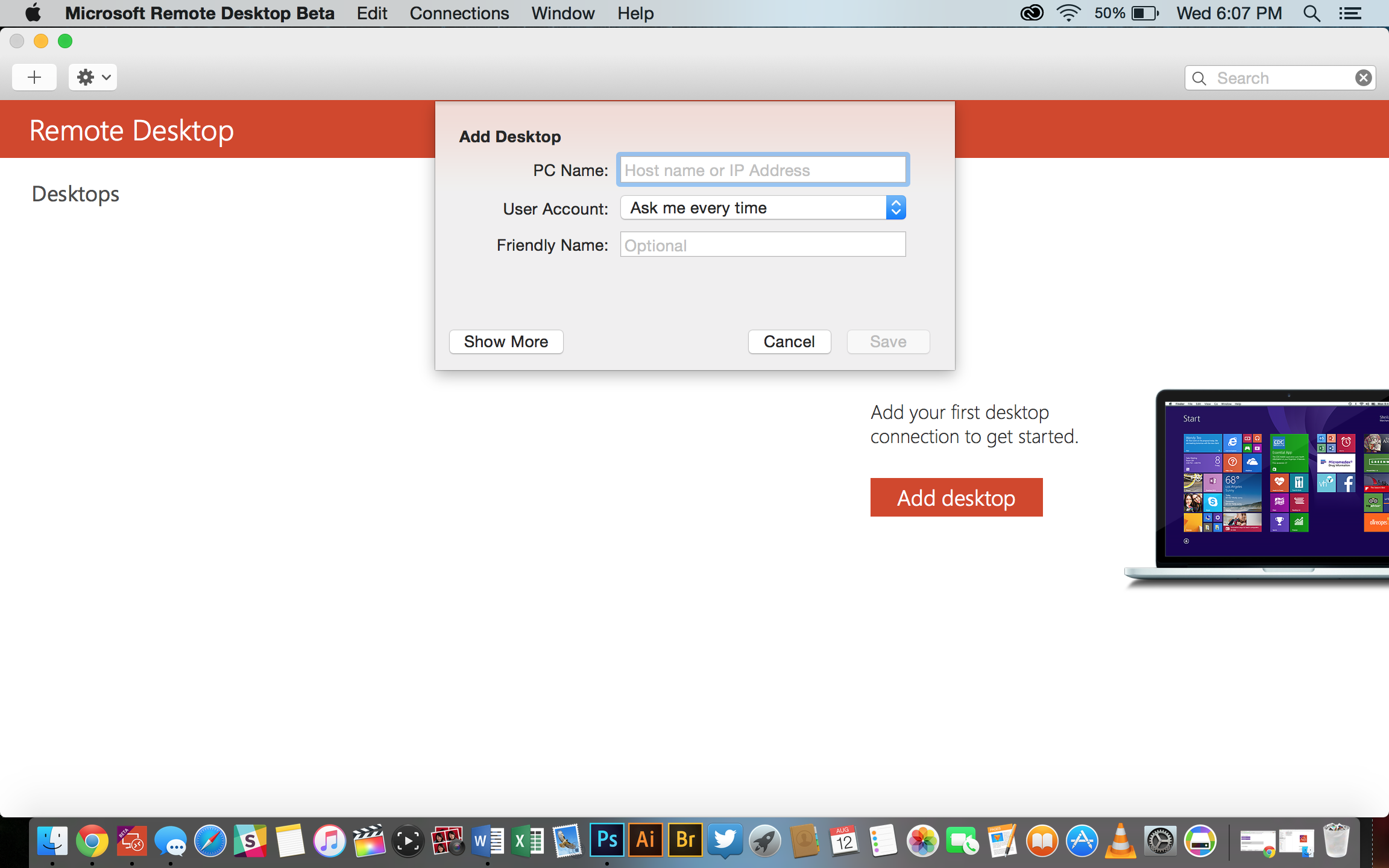
If you already have the client, you can check for updates to ensure you have the latest version. In the beta client, click Microsoft Remote Desktop Beta at the top, and then click Check for updates. Add a Remote Desktop connection. To create a remote desktop connection: In the Connection Center, click +, and then click Desktop.
- Mar 20, 2019 In Remote Desktop Connection, type the name of the PC you want to connect to (from Step 1), and then select Connect. On your Windows, Android, or iOS device: Open the Remote Desktop app (available for free from Microsoft Store, Google Play, and the Mac App Store), and add the name of the PC that you want to connect to (from Step 1).
- Best Mac remote access apps. Apple removed Back To My Mac from Mojave, but we still need to reach our Macs from outside the local network. Apple’s own Remote Desktop ($79.99) software was.
- Find the Microsoft Remote Desktop for Mac that you want to delete. Click and hold the Microsoft Remote Desktop for Mac icon’s until it starts shaking. Click X in the top-left corner of the app icon. Click Delete. Method 2: Delete MAC apps with CleanMyMac X. Now it’s time for the safe and quick app uninstalling option.
Best Free Remote Desktop Apps For Mac
Remote Desktop Manager for Mac 2019 – This app was developed by Devolutions and updated into the latest version at February, 22nd 2019. Download Remote Desktop Manager Enterprise 6.2.1.0 for Mac from Apps4MAC.com. 100% Safe and Secure ✔ An application used to manage all your remote connections!.
Remote Desktop Manager for Mac for MAC Download
Remote Desktop Manager for Mac – Download Free (2019 Latest Version). An application used to manage all your remote connections!. Before you download the .dmg file, here we go some fact about Remote Desktop Manager for Mac that maybe you want to need to know.
| App Name | Remote Desktop Manager for Mac App |
| File Size | 117 MB |
| Developer | Devolutions |
| Update | February, 22nd 2019 |
| Version | Remote Desktop Manager Enterprise 6.2.1.0 LATEST |
| Requirement | Mac OS X 10.8 or later |
Installing Apps on MAC
Most MacOS applications downloaded from outside the App Store come inside a DMG file. Like if you wanna download Remote Desktop Manager for Mac from this page, you’ll directly get the .dmg installation file into your MAC.
- First, download the Remote Desktop Manager for Mac .dmg installation file from the official link on above
- Double-click the DMG file to open it, and you’ll see a Finder window.
- Often these will include the application itself, some form of arrow, and a shortcut to the Applications folder.
- Simply drag the application’s icon to your Applications folder
- And you’re done: the Remote Desktop Manager for Mac is now installed.
- When you’re done installing: just click the “Eject” arrow.
- Then you can feel free to delete the original DMG file: you don’t need it anymore.
- Now, enjoy Remote Desktop Manager for Mac !
You don’t have to put your programs in the Applications folder, though: they’ll run from anywhere. Some people create a “Games” directory, to keep games separate from other applications. But Applications is the most convenient place to put things, so we suggest you just put everything there.
Image viaWell, now, thanks to XDA Developers member, you can now! The love and nostalgia of this retro operating system has even spurred. Ancient Mac OS on Your AndroidTo boot Mac Plus on your Android phone or tablet, you'll need to follow:. Mac os x for android 8.
DMG files are mounted by your system, like a sort of virtual hard drive. When you’re done installing the application, it’s a good idea to unmount the DMG in Finder.
Recommended app to install: Little Snitch for MAC Latest Version
Uninstall Apps on MAC
Removing Remote Desktop Manager for Mac apps is more than just moving them to the Trash — it’s completely uninstalling them. To completely uninstall a program on Mac you have to choose one of the options on below.
Method 1: Remove apps using Launchpad
Another manual way to delete Remote Desktop Manager for Mac apps from your Mac is using the Launchpad. Here’s how it works:
- Click Launchpad icon in your Mac’s Dock.
- Find the Remote Desktop Manager for Mac that you want to delete.
- Click and hold the Remote Desktop Manager for Mac icon’s until it starts shaking.
- Click X in the top-left corner of the app icon.
- Click Delete.
Method 2: Delete MAC apps with CleanMyMac X
Now it’s time for the safe and quick app uninstalling option. There’s a safest way to uninstall Remote Desktop Manager for Mac on Mac without searching all over your Mac, and that’s by using CleanMyMac X.
- Launch CleanMyMac X and click on Uninstaller in the left menu.
- Select the , you can either uninstall it or, if it’s not acting as it should, you can perform an Application Reset.
- Click on Uninstall or choose Application Reset at the top.
- Now that the application cleanup is complete, you can view a log of the removed items, or go back to your app list to uninstall more.
- And you’re done to remove Remote Desktop Manager for Mac from your MAC!
Remote Desktop Manager for Mac Related Apps
Here we go some list of an alternative/related app that you must try to install into your lovely MAC OSX
Disclaimer
This Remote Desktop Manager for Mac .dmg installation file is completely not hosted in Apps4Mac.com. When you click the “Download” link on this page, files will downloading straight in the owner sources Official Website. Remote Desktop Manager for Mac is definitely an app for MAC that created by Devolutions Inc. We’re not straight affiliated with them. All trademarks, registered trademarks, product names and business names or logos that mentioned in right here would be the property of their respective owners. We’re DMCA-compliant and gladly to cooperation with you.
Remote Desktop Apps For Mac
The iOS app offers a secure connection to data and applications through NLA technology along with multi-touch capabilities. It supports high quality video and sound streaming and connects to external monitors or protectors to for presentations. The Mac version also includes the ability to access local Mac files from Windows applications and printer capabilities.
iOS Features:
- Access to remote resources through the Remote Desktop GatewayMac Features:
- Rich multi-touch experience with remote desktop protocol (RDP) and RemoteFX supporting Windows gestures
- Secure connection to your data and applications with breakthrough Network Layer Authentication (NLA) technology
- Simple management of all remote connections from the connection center
- High quality video and sound streaming with improved compression and bandwidth usage
- Easy connection to external monitors or projectors for presentations
- Access to remote resources through the Remote Desktop GatewayIn addition to Remote Desktop tools for iOS and OS X, Microsoft is said to be developing similar tools for Android and Windows RT. Earlier this month, former Microsoft CEO Steve announced that the company also plans to expand its iOS offerings with an iPad version of Office to be released after the launch of the next major version of its Office suite.
- Secure connection to your data and applications with breakthrough Network Layer Authentication (NLA) technology
- Simple management of all remote connections from the connection center
- High quality video and sound streaming with improved compression and bandwidth usage
- Easy connection to multiple monitors or projectors for presentations
- Print from Windows applications to any printer configured on your Mac
- Access local files on your Mac from your Windows applications
Microsoft Remote Desktop for iOS is a universal app that can be downloaded from the App Store for free. [Direct Link]
Microsoft Remote Desktop for Mac is a free app that can be downloaded from the Mac App Store. [Direct Link]
Guides
Upcoming
Front Page Stories
Apple TV+ Offers Highest Quality 4K Streaming, Averaging Up to 29Mbps
AirPods Pro vs Powerbeats Pro
15 hours ago on Front PageApple Releases New Trailer for Original Film 'The Banker' With Anthony Mackie and Samuel L. Jackson
21 hours ago on Front PageMicrosoft Introduces Unified Office App for iOS and Android
22 hours ago on Front PageAdobe Launches Photoshop for iPad
23 hours ago on Front PageApple Commits $2.5 Billion to Fight California Housing Crisis
1 day ago on Front PageDigiTimes: Apple Partnering With Valve to Develop AR Headset
1 day ago on Front PageAd Data Points to Apple's 'Slow Roll' Promotion of Apple TV+
2 days ago on Front Page