Moving Backgrounds For Mac
Back then, MAC users were making use of screen savers and wallpapers in order to prevent the screen from having Phosphor burn-in. These changes now as these animated wallpapers for Mac as well as animated screen savers are utilized for adding more entertainment and even eye popping view.
Today, there are lots of wallpapers and screen savers that are being created, coded and produced. Now, these wallpapers and screen savers are given life through animation. They are not just still pictures that you can see they are now animated in such as way it gives ‘life’ to your screen. If your Mac is mid to top of the line specifications, having the moving wallpaper and screen saver is nice. Keep in mind that the screen saver and wallpaper uses memory in your Mac and it can cause slowdown in your system if you are heavily using it. Good thing, most of the wallpaper and screen savers are free to download and use, just like in their PC counterparts.
Choose from hundreds of free Mac wallpapers. Download HD wallpapers for free on Unsplash. Find new backgrounds. You can find new background images and create your own by visiting the site WinCustomize. Select the image/animation you want and download it to your computer. Double click on the downloaded image to enable it through the DeskScapes application.
10. Jack O’ Lantern
Everyone isfamiliar with Jack O’ Lantern – the pumpkin face can provide entertainment as well as spooky and surprising effect if you use it as your wallpaper and screen saver. Being animated coupled with nice sound effects it can surprise the people who will view your Mac. Using Jack O’ Lantern is very ideal in the Halloween season if you want to scare someone or simply entertain yourself.
9. Screensaver X-Galaxy
The Screen saver X-Galaxy is created and designed nebula concept for Mac OX Leopard. It features images depicting the universe – galaxies, stars, planets, nebula, quasars and everything you can find in a universe. The images are in high definition giving you a clear image of what thing are present in the universe. This wallpaper and screensaver is good to have if you are an enthusiast of astronomy.
Animated Screensavers. Add some life and vigor to your computer screen while you're away (or watching) with these animated screensavers that, unlike slideshow screensavers, include moving elements, from analog clocks and wood burning fireplaces to 3D simulations and animated cartoons. Mac: Sick of using those boring, static images as your wallpaper. If you want to spice things up a bit, the GIFPaper app can set any GIF as a wallpaper.
This will enable the feature where you can use your finger to swipe or scroll around the screen with your Magic Mouse.Tick the box which says “Swipe between full-screen apps” to enable the feature to swipe left or right to change between one full screen to another.Tick the Mission Control option so that you can call Mission control with a light tap on the magic mouse.ConclusionHopefully, now you know how to right click on a Mac laptop or any other Mac device. 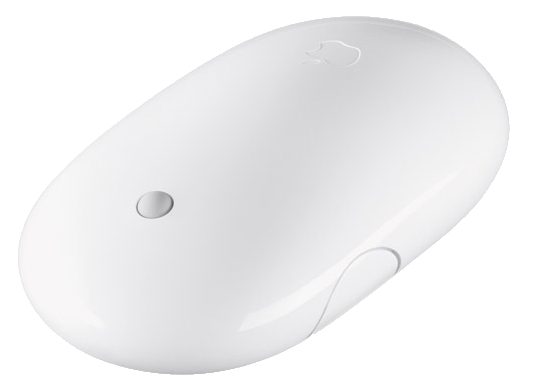 Enable the Smart Zoom option to activate the double-tap feature to zoom in the window.Switch to the More Gestures tab check the box to “Swipe between pages”. Some accidental right click can lead to major issues such as accidental file deletion. Thus, it is vital that you keep the control over right click on Mac.
Experience a waving flag, pristine water wall, ripling river, sandy beach, roaring lion and even rain water drops on your Mac screen. All themes, images and wallpapers are live, animated and are HD quality. Experience Live Audio Most of the live themes and wallpapers have audio integrated in them. IMovie includes a library of animated travel maps and backgrounds you can use to add color and narrative to your movie. For example, an animated travel map can show where you and your family traveled on your vacation. Choose from a curated selection of Mac wallpapers for your mobile and desktop screens. Always free on Unsplash. Related searches. HD Cool Wallpapers. HD Screen Wallpapers. HD Windows 10 Wallpapers. HD Laptop Wallpapers. HD MacBook Wallpapers. Download Free Mac Wallpapers. Nathan Anderson. Red fox standing on grass field.
8. Plasma Tunnel
If you have the Plasma Tunnel screen saver, you will be immersed to three dimensional effects of the images resembling a tunnel. You will surely want to see the things happening in the plasma tunnel and see the changes happening every specified time. You will enjoy customizing the colors and effects as well. This is definitely one of the best animated wallpaper for Mac devices.
7. Flux
This Mac OS X wallpaper and screen saver is great if you want to have fun watching colors mix and match in order to create something new or anything new composition. Flux makes use of the various movements of the spheres that in return will create colorful and stunning composition. It can give you three dimensional effects or simply, you will be put to another dimension where spheres and colors do mixing and matching creating stunning views.
6. Solar Winds
This Mac OS X screen saver is like a flurry. The Solar Winds is not what you think about the Sun and some flares around it. It is more than that. It has flares moving in one or different direction that is like a wind. These flares can come in single or many colors moving from one direction to another creating illusion in your monitor. The shading effect of the flares provides stunning wind like theme.
5. Fireflies
Who does not know fireflies – the insects with a glowing anal part? This is one of the most colorful animated screen savers and wallpaper for Mac. Cad programs for mac. The wallpaper or screen saver is not about the insects, but the glows they made when they fly around. This one imitates that one so that you can see glowing spheres providing light to the black background.
4. The Digg Labs
You can use the Arc of Digg as your screen saver or wallpaper for your Mac device. Most Mac users are very familiar with this one as there are lots of them using it. There are many themes and design under the Digg Labs so you can choose what you prefer and suit your taste.
Cool Desktop Backgrounds For Mac
3. Flickr Shuffle Screen Saver
Do you have an account with Flickr? If you have, you can use the Flickr Shuffle Screen Saver. This one will make use of the photos and images from your Flickr account (of course, your favorite ones only), these images will be shuffled and by adding some customizable transition effects, you can use and display them as your personalized screen saver.
2. Time Machine Screen Saver
The Time Machine screen saver works by integrating the space time warp of the Time Machine and your trustworthy/reliable RSS reader in order to make awesome and convenient reading space for your RSS feeds while your device is on the screen saver mode. It is like reading something without having to browse.
1. Moving Photos 3D Screen Saver
Moving Wallpapers For Mac Free Download
This is simply a stunning and the best screen saver and wallpaper when it comes to beauty. This screen saver will give you the freedom about selecting the images in your pictures folder and then by adding some creative works to them, you will have an animated design of your photos that will fly around your monitor and in will construct a virtual creation such as a building. This is one of the must use and have screen saver and animated wallpaper for Mac.