Malware For Mac
A phishing scam has targeted Mac users by redirecting them from legitimate websites to fake websites which tell them that their computer is infected with a virus. The user is then offered Mac Defender 'anti-virus' software to solve the issue.
This “anti-virus” software is malware (i.e. Flash drive for mac. malicious software). Its ultimate goal is to get the user's credit card information which may be used for fraudulent purposes.
The most common names for this malware are MacDefender, MacProtector and MacSecurity.
- Mac Malware Removal
- Malware For Mac App
- Scan My Mac For Malware
- Malware For Mac Removal Tool
- Malware For Mac 10.6.8
Apple released a free software update (Security Update 2011-003) that will automatically find and remove Mac Defender malware and its known variants.
The Resolution section below also provides step-by-step instructions on how to avoid or manually remove this malware.
Resolution
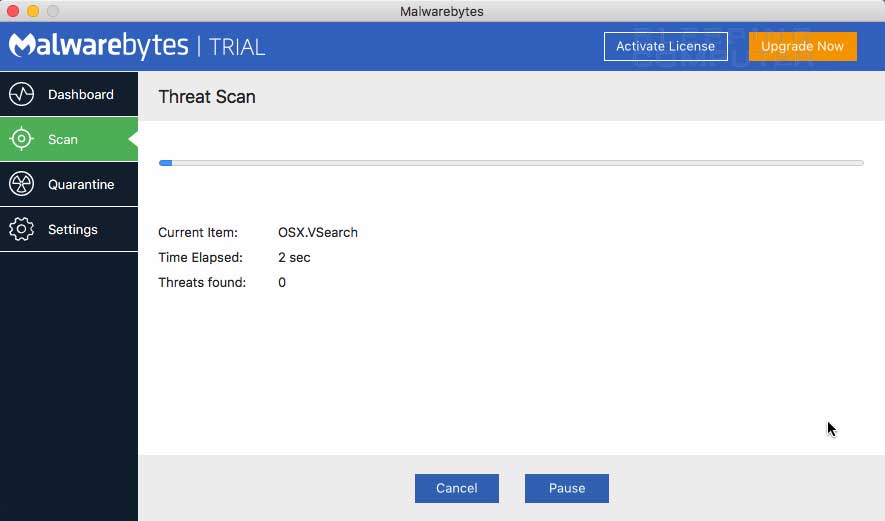
2019-10-24 Check your Downloads folder, or search your computer for the Malwarebytes setup file, Malwarebytes-Mac-3.x.x.xxx.pkg. Note that 'x.x.x.xxxx' is the version number. Open the setup file by double clicking on it. If you can't open the file because it's from an unidentified developer, right click on the file and select 'Open.' 幸运的是,FileHippo 提供 Mac 使用的各种防病毒保护软件,包括最一流的恶意软件防护和 Mac 防间谍软件程序。立即了解我们的全部产品,要知道从 Mac 移除病毒的最好方法就是从一开始就把它们拒之门外!参阅与最佳 Mac 防病毒软件相关的指南.
2019-10-24 Malwarebytes for Mac distrugge virus, adware, ransomware e altri malware per Mac, offrendoti una protezione ottimale e permettendo al tuo Mac di continuare a funzionare come un Mac.
How to avoid installing this malware
If any notifications about viruses or security software appear, quit Safari or any other browser that you are using. If a normal attempt at quitting the browser doesn’t work, then Force Quit the browser.

In some cases, your browser may automatically download and launch the installer for this malicious software. If this happens, cancel the installation process; do not enter your administrator password. Delete the installer immediately using the steps below.
Mac Malware Removal
- Go into the Downloads folder, or your preferred download location.
- Drag the installer to the Trash.
- Empty the Trash.
How to remove this malware
If the malware has been installed, we recommend the following actions:

- Do not provide your credit card information under any circumstances.
- Use the Removal Steps below.
Removal steps
Malware For Mac App
- Move or close the Scan Window.
- Go to the Utilities folder in the Applications folder and launch Activity Monitor.
- Choose All Processes from the pop up menu in the upper right corner of the window.
- Under the Process Name column, look for the name of the app and click to select it; common app names include: MacDefender, MacSecurity or MacProtector.
- Click the Quit Process button in the upper left corner of the window and select Quit.
- Quit Activity Monitor application.
- Open the Applications folder.
- Locate the app ex. MacDefender, MacSecurity, MacProtector or other name.
- Drag to Trash, and empty Trash.
Scan My Mac For Malware
Malware also installs a login item in your account in System Preferences. Removal of the login item is not necessary, but you can remove it by following the steps below.
- Open System Preferences, select Accounts, then Login Items
- Select the name of the app you removed in the steps above ex. MacDefender, MacSecurity, MacProtector
- Click the minus button
Malware For Mac Removal Tool
Use the steps in the “How to avoid installing this malware” section above to remove the installer from the download location.
Malware For Mac 10.6.8
Note: Apple provides security updates for the Mac exclusively through Software Update and the Apple Support Downloads site. User should exercise caution any time they are asked to enter sensitive personal information online.