Mail For Mac
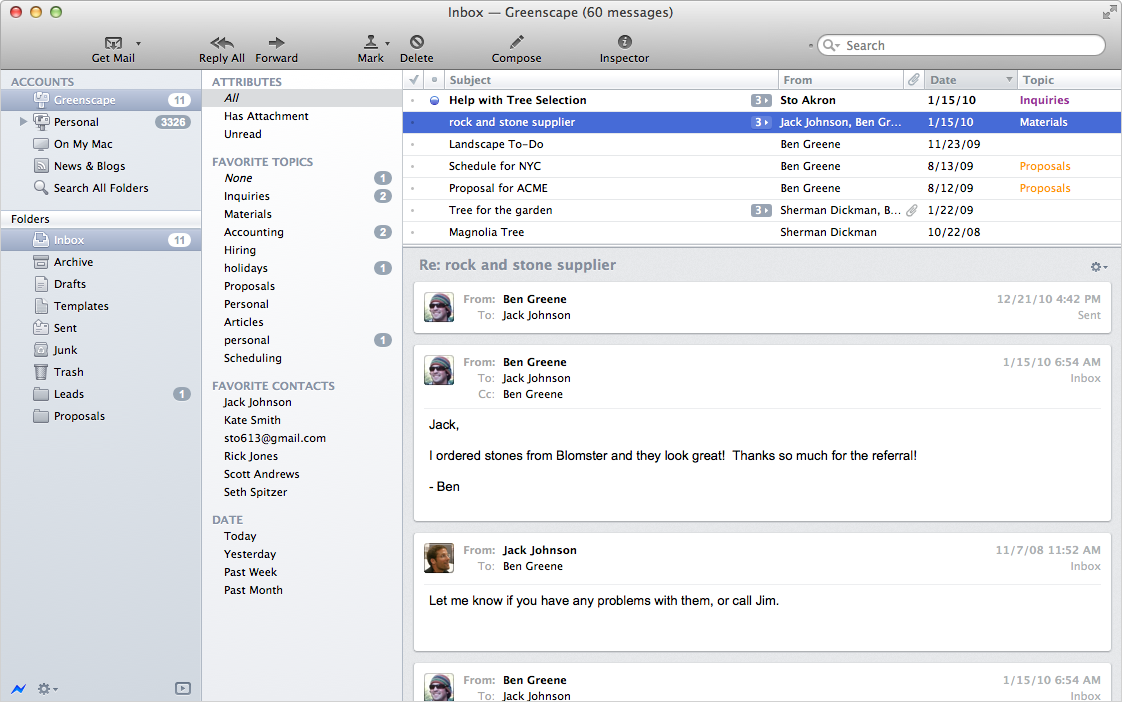
If Apple Mail (or the Gmail web interface) isn't meeting all your needs, check out this guide where we look at what is the best email app for the Mac. We may earn a commission for purchases using our links. Best Apps for Mac Best mail apps for Mac in 2019 If the stock Mail app on Mac doesn't work for you, there are plenty of alternatives.
Email addresses you use with your Apple ID
Your Apple ID uses email addresses to sign you in to your account with Apple. With your Apple ID, you can access services like the App Store, Apple Music, iCloud, iMessage, FaceTime, and more. We use your email addresses to send you information about your account, and to help friends and family communicate and share with you.
Apple ID email address
This is the email address you use with your password when signing in to any Apple service. It’s also the primary email address on your account.
Incredibly slick presentationsFor anyone used to PowerPoint, Keynote provides a more glamorous experience with the ability to create cinematic presentations that tell a story more effectively and dramatically. 
Add extra email addresses to your account to help people find you on Apple services like FaceTime, iMessage, and Find My Friends.
Rescue email address
You have the option to add a rescue email address to your account for more security. You can see it when you sign in to your Apple ID account page.
Before you can use a new or updated Apple ID, we'll send you a verification email to make sure that the email address belongs to you.
Apple ID email address
When you create an Apple ID, you enter an email address. This email address is your Apple ID and the username that you use to sign in to Apple services like iTunes and iCloud. It's also the contact email address for your account. Be sure to check your email address regularly. We'll send you email notifications to help you manage your account and make the most of your Apple ID.
Follow these steps to change your Apple ID.
Additional email addresses
Many of us have more than one email address that friends and family use to reach us. Add an email address that you commonly use to your Apple ID account, so people can easily find and communicate with you on Apple services like FaceTime, iMessage, and Find My Friends.
Oct 28, 2019 What's the best VPN for Mac? The number of VPN services can be daunting, which is why we've put them to the test—to help you find the best one for Mac owners. Download the free official hide.me VPN application client software for macOS. Establish a secure VPN connection now with hide.me. Find out how! Best vpn for macbook. VPN Tracker is the #1 VPN client for Mac OS X. VPN Tracker supports over 300 VPN devices and lets you securely connect to any IPSec, PPTP, OpenVPN & L2TP VPN. Oct 09, 2019 A VPN is one of the smartest and simplest ways to take control of your privacy online. We ran the tests, and these are the best VPNs for your Mac.
Best Mail App Mac Os
To add an additional email address, follow these steps:
- Sign in to your Apple ID account page.
- Click Edit in the Account section.
- Under Reachable at, select Add More.
- Enter your additional email address and we'll send a verification to that address. Didn't get the email?
- Enter the verification code and click Verify.
Make sure that you enter an email address that you're not already using as an Apple ID. If you want to delete one of your additional email addresses, click next to the address.
Rescue email address
Having a rescue email address is optional but recommended. If you ever forget your security questions, you can use your rescue email address to reset them. We also send any account security-related notifications to your rescue email address.
Follow these steps to add or edit a rescue email address:
- Sign in to your Apple ID account page.
- Click Edit in the Security section. You might be asked to answer one or more security questions before you continue.
- If you want to add a rescue email address:
- Under Rescue Email, click Add an Email Address, then enter your rescue email address. We send a verification to that address. Didn't get the email?
- Enter the verification code and click Verify.
- If you want to edit a rescue email address:
- Select Change Email Address under the address you want to edit, then enter the new address. We send a verification to that address. Didn't get the email?
- Enter the verification code and click Verify.
- If you want to delete a rescue email address, click next to the address.
If you use two-step verification or two-factor authentication, you have a notification email address, not a rescue email address. With two-factor authentication and two-step verification, you don't need a rescue address. If you had a rescue email address on file when you upgraded to two-factor authentication or two-step verification, you can also use these steps to edit your notification email address. If you remove the notification email, you won't be able to add a new one.
Yahoo Mail For Mac
Learn more
Outlook Mail For Mac
Apple email related to your Apple ID account always comes from appleid@id.apple.com. If you receive suspicious email, learn how to identify fraudulent email.
Mail For Mac
Learn more about how to update your other Apple ID account information.
Download Apple Mail For Mac
FaceTime is not available in all countries or regions.