Joystick For Mac
Free download Joystick Mapper Joystick Mapper for Mac OS X. Joystick Mapper is an application that allows you to configure your joysticks or gamepads to simulate keyboard keys/mouse movement/mouse click/mouse scroll, so you can control any app. SNES NES N64 USB Wired Game Controller Gamepad Joystick for PC MAC Raspberry Pi Product Description. Snes & NES Controller Introductions: With our USB Wired NES/ Snes Controller for PC, you can now experience the gorgeous design of classic NES controller on your PC. Made with high-grade material and fine workmanship, it presents same color.
- Joystick For Mac Flight Simulator
- Best Joysticks For Windows 10
- Wireless Joystick For Mac
- Flight Simulator Joysticks For Pc
Welcome!
Im taking the plunge and buying a joystick but I wanted to see what everyone else is using first to gauge my options. I use a Mac running OS X 10.11 El Capitan. The controller I want to buy is the Thrustmaster T16000. Any thoughts or opinions? (This is because the Mac did not have a dedicated joystick port, and the only input device that could produce similar analog readings at the time was the ADB mouse.) On the Apple II, It will not function as a joystick because software and games written for it expect to find the joystick on the joystick port (technically 'game port' because it. Dec 10, 2016 Mac OS X has limited support for playing games, thus the support for Game controllers i.e Gamepad & joysticks is limited too. But you may want to connect your PS2/PS3 or Xbox 360 gamepad / joystick controller to Play games on Mac for playing games or performing mouse or keyboard actions.
Your post somehow found its way to a low-traffic forum about technical issues with posting in Apple Support Communities. If you tell us what Mac product you have, we can ask the Hosts to move you to a more active and appropriate forum for your product.
I like flight sims and have an older X-Plane version on a geriatric Mac in the spare room. I can tell you that there are very few flight simmers around here..you will probably get a more detailed and faster response in the x-plane.org forums or the X-Plane forums at AVSIM:
In the older version I still use (v7.30), the only 'goober' with setting up the joystick was if you tried to make the stick less sensitive, bad things starting happening.
Jan 8, 2015 7:04 AM
If you want to buy joystick for macof the highest quality, you will need to compare many options and look through dozens of user reviews. Is there an easier way to find the right joystick for mac? Yes! Choose from our TOP 10 (and the extended TOP 30) list of the best joystick for mac on the market.
On this page, you can check our unbiased rating of the best joystick for mac. All products from our TOP 10 listed below are the very best joystick for mac that you can find and have lowest prices available on the market.
Top 10 Best Joystick For Mac of 2018
| № | Preview | Product | Full reviews | Price |
| 1. | Thrustmaster USB Joystick | Read here | ||
| 2. | Extreme 3D Pro Joystick for Windows | Read here | ||
| 3. | 9632910403 – Logitech WingMan ATTACK 3 Joystick Cable – PC | Read here | ||
| 4. | Snakebyte Snakebyte Game Pad Pro – Wireless 2.4Ghz Controller / Gamepad / Joystick for PC – PC;Mac;Linux; | Read here | ||
| 5. | Mafiti GP100 2 Pack SNES Retro USB Super Controller | Read here | ||
| 6. | Extreme 3D Pro Joystick 963290-0403 | Read here | ||
| 7. | 8Bitdo N30 Arcade Stick / Fight Stick for Nintendo Switch | Read here | ||
| 8. | 2 Pack iNNEXT SNES Retro USB Super Famicom Controller Gamepad Joystick | Read here | ||
| 9. | Classic N64 Controller | Read here | ||
| 10. | Classic N64 Controller | Read here |
How to save up to 86%? Here is little trick.
Joystick For Mac Flight Simulator
You must visit the page of sales. Here is the link. If you don’t care about brands, then sort joystick for mac by price and choose the one with the greatest discount.
Now Lets Talk About 3 Best Joystick For Mac of 2018
I must say I am quite a fan of joystick for mac, so when the question “What are the best joystick for mac available on the market?” came to my mind, I excitedly started gathering information together with personal experience to write this article in the hope that it may help you find the suitable joystick for mac. Simply review and buy them.
Like choosing clothes or cosmetics, choosing joystick for mac should be based on your purpose, favorite style, and financial condition. If you’re reading this, it is very likely that you’re scouting for the best joystick for mac.
Test Results and Ratings
| Rank | №1 | №2 | №3 |
| Product | |||
| Total | 4.8 | 4.5 | 4.3 |
| Style | |||
| Versatility | |||
| Durability | |||
| Quality | |||
| Awards |
№1 – Thrustmaster USB Joystick
5 | 4 |
№2 – Extreme 3D Pro Joystick for Windows
4 | 5 |
№3 – 9632910403 – Logitech WingMan ATTACK 3 Joystick Cable – PC
Best Joysticks For Windows 10
| Total: |
4 | 4 |
What Can We Tell About Another Joystick For Mac
- Precision Components for superior control
- Compatible with DirectInput and Xinput
- Console Layout
- Analogue Joysticks and Triggers
- Wireless (2.4GHz) Pro Game Controller for PC
- 【Easy to install & widely used】Work with: Windows 98/ME/Vista/2000/2003/XP/7/8/8.1/10; GNU/Linux; Ubuntu; Mac OS X and beyond ; Raspberry Pi ;Raspberry PI 2 model B ;Retro Pi OS; Retro Pi NES; Retro Pi System. You don’t need to install any special software.
- 【Gamepads Works with any Emulator】It works with any emulator you wish to download and use. Google SNES emulator and then the same for Roms.
- 【Not original SNES/NES Controller】Third party controller, not original SNES / NES controller. BUT it works excellently with the Raspberry Pi game emulation and so on.
- 【5 ft. Long Cord】Cord is approx. 5 ft. Long. Super sensitive buttons for precision control.
- 【Generic USB Controller】This uses a standard USB port, if your program or application accepts USB controller input, it can be used natively without drivers or patches, just plug and play.
- Product Type: Joystick Connectivity Technology: Wired Buttons Qty: 12 Controls: 8-way hat switch, trigger Interface: USB Interfaces: 1 x USB – 4 pin USB Type A OS Required: Apple MacOS 9, Apple MacOS X 10.x, Microsoft Windows 98/ME/2000/XP System Requirements Details: Windows 98/2000/ME/XP – Pentium – RAM 64 MB – HDD 20 MB Works with Windows Vista: Software and devices that carry the Works with Windows Vista logo have been tested for baseline compatibility with PCs running.
- Service & Support: 1 year warranty Service & Support Details: Limited warranty – 1 year
- Wireless Bluetooth and direct USB connectable with built in lithium ion battery
- D-Input and X-Input functionality
- Turbo and d-pad/joystick modes
- Ultra-compatible with Nintendo Switch, Windows, macOS, & Android
- Mod-able and customizable
- Supported Operating system: Windows 98, ME, Vista, 2000, 2003, XP, 7, 8, 8.1, 10; Linux UBUNTU, Linux Mint, Android Linux (via an USB OTG cable); Mac OS X and beyond; Retrogaming operating systems: RetroPie, Recalbox, Happi Game Center, Lakka, ChameleonPi, Piplay
- Supported Platform: Steam (Not Support all games. Perfect for Several simple steam games)
- Supported Device (With USB storage device): PC, Notebook Computer, Laptop Computer; MacBook; Android Smartphone: connect via an USB OTG cable; Raspberry Pi (RPI, Raspberry pie): Raspberry Pi 1 Model B, Model A, Raspberry Pi 1 Model B+, Raspberry Pi Zero, Raspberry Pi 2, Raspberry Pi 3 Model B, Raspberry Pi 3, Retro Pie. — Note: NOT SUPPORT Android TV BOX.
- Supported Game Emulators: NES, SNES, Snes9x, ZSNES, Higan, Handheld GBA emulator, Sega Genesis emulator, Sega OpenEmu (Only support OS X), RetroArch (Works perfect on Android), BSNES (Perfect for two player action)…
- Generic USB controller, this uses a standard USB port, if your program or application accepts USB controller input, it can be used natively without drivers or patches, JUST PLUG AND PLAY! Cord is approx. 5 ft. Long. Super sensitive buttons for precision control. Third party controller, not original SNES / NES controller. But it works phenomenal with the Raspberry Pi game emulation and so on.
- Supported Game Emulators: Current: Project64, 1964, MAME (MESS), Mupen64Plus, Sixtyforce, CEN64; Historical: Project Unreality, Corn, UltraHLE, Nemu64
- Supported Device (With USB storage device): PC, Notebook Computer, Laptop Computer; MacBook; Android Smartphone: connect via an USB OTG cable; Raspberry Pi (RPI, Raspberry pie): Raspberry Pi 1 Model B, Model A, Raspberry Pi 1 Model B+, Raspberry Pi Zero, Raspberry Pi 2, Raspberry Pi 3 Model B, Raspberry Pi 3, Retro Pie — Note: NOT SUPPORT Android TV BOX.
- Supported Operating system: Windows 98, ME, Vista, 2000, 2003, XP, 7, 8, 8.1, 10; Linux UBUNTU, Linux Mint, Android Linux (via an USB OTG cable); Mac OS X and beyond; Retrogaming operating systems: RetroPie, Recalbox, Happi Game Center, Lakka, ChameleonPi, Piplay
- Generic USB controller, this uses a standard USB port, if your program or application accepts USB controller input, it can be used natively without drivers or patches, JUST PLUG AND PLAY! Cord is approx. 5.9 ft. Long. Super sensitive buttons for precision control. Third party controller, not original Nintendo 64 controller. But it works phenomenal with the Raspberry Pi game emulation and so on.
- IMPORTANT: RECENTLY, NEGATIVE REVIEWS ARE FROM COMPETITOR SELLERS, THEY JUST COMMENT THE PRODUCT WITHOUT PURCHASING IT(NO VP MARK). BUYER SHOULD NOT WORRY ABOUT THOSE MALICIOUS 1-STAR REVIEWS. WE HAVE TESTED OUR PRODUCTS, THEY DO WORK VERY WELL. RELIABLE WARRANTY: 100% MONEY BACK GUARANTEE; HASSLE FREE 6-MONTH REPLACEMENT WARRANTY WITH FRIENDLY AND PROFESSIONAL CUSTOMER SERVICE. IF YOU HAVE ANY PROBLEM, KINDLY PLEASE FEEL FREE TO CONTACT US, WE WILL DO OUR BEST TO HELP YOU!
Wireless Joystick For Mac
- Generic USB controller, this uses a standard USB port, if your program or application accepts USB controller input, it can be used natively without drivers or patches, JUST PLUG AND PLAY! Cord is approx. 5.9 ft. Long. Super sensitive buttons for precision control. Third party controller, not original Nintendo 64 controller. But it works phenomenal with the Raspberry Pi game emulation and so on.
- Reliable Warranty: 100% Money Back Guarantee; hassle free 6-month replacement warranty with friendly and professional customer service. If you have any problem, kindly please feel free to contact us, we will do our best to help you!
- Supported Game Emulators: Current: Project64, 1964, MAME (MESS), Mupen64Plus, Sixtyforce, CEN64; Historical: Project Unreality, Corn, UltraHLE, Nemu64
- Supported Operating system: Windows 98, ME, Vista, 2000, 2003, XP, 7, 8, 8.1, 10; Linux UBUNTU, Linux Mint, Android Linux (via an USB OTG cable); Mac OS X and beyond; Retrogaming operating systems: RetroPie, Recalbox, Happi Game Center, Lakka, ChameleonPi, Piplay
- Supported Device (With USB storage device): PC, Notebook Computer, Laptop Computer; MacBook; Android Smartphone: connect via an USB OTG cable; Raspberry Pi (RPI, Raspberry pie): Raspberry Pi 1 Model B, Model A, Raspberry Pi 1 Model B+, Raspberry Pi Zero, Raspberry Pi 2, Raspberry Pi 3 Model B, Raspberry Pi 3, Retro Pie. — Note: NOT SUPPORT Android TV BOX.
- Energy Saving: Powered by 2 AAA batteries. With short-circuit protection and independent power supply function, this wireless mouse with separate switch button can still work with 1 battery. It would enter into power-saving mode in 10mins of inactivity. Well compatible with Windows7/8/10/XP, Vista7/8 and Linux etc.
- Portable and Pocket Size: Featuring slim (4.5*2.4*1.3in/115*62*32mm) which is twice thinner than ordinary mice, this portable wireless mouse is perfect for travelling. It can be easily put into your backpack or pocket. (Note: The Nano receiver is stored in the back of the mouse.)
- Sensitive and Noiseless: Quiet clicks free your worry about bothering other beside you and keep you focused while working or studying. The optical laser allows for quick response, precise movement and smoother tracking.
- Stable and Anti-Interference: 2.4GHz wireless transmission technology provides a powerful and reliable connection up to 33ft (10m). 3 adjustable CPI levels, 800-1200-1600, easily change the mouse sensitivity to match your activity.
- Skin-Friendly for Comfort: Streamline design with anti-fingerprint and sweat-resistant finish offers your hand maximum support and comfort. The sturdy anti-slip rubber scroll wheel ensures that your hand will not slip when scrolling.
- NOISE SUPPRESSION – The external rigid part of the self-adjusting double headband allows the computer gaming headset to fit tightly and cover completely your ears without causing any discomfort. Excellent sound insulation from external annoying sounds, which will allow you to fully concentrate on your game.
- HIGH-SENSITIVITY MICROPHONE – There is a very flexible microphone in gaming headphones, with the ability to rotate through 180 °, rugged and reliable with excellent noise reduction capabilities, which will ensure crystal clear sound in any environment.
- HIGH-QUALITY SOUND – Thanks to the high-class stereo sound pc gaming headset and built-in vibration, you can enjoy great sound quality and completely immerse yourself in the atmosphere of what is happening. Vibration works with USB connection only – PC, Laptop, etc., and doesn’t work with gaming consoles.
- YOU DO NOT NEED ANY SOFTWARE – Our led gaming headset is very easy to use, just connect to Windows PC, Mac OS PC, PS4, Laptop, New Xbox One, Nintendo Switch (audio), Nintendo New 3DS LL/3DS (audio), PSP, Tablet, iPad, Mobile Phone. PLEASE NOTE for OLD VERSION Xbox One you need an extra Microsoft Adapter (Not Included). Any other device that features 3.5MM compatible jack (PS4, Xbox One, Smartphones & etc.) requires a 3.5mm Audio Stereo Y Splitter Cable, Male to 2 Port 3.5mm Female (Not Included)
- STYLISH & ERGONOMIC DESIGN – A modern, lightweight, reliable and stylish design laptop gaming headset with a bright LED light, comfortable headband and ear pads of soft wear-resistant sports leather, will allow you to play for hours in complete comfort.
Questions? Leave a comment below!
Chatting about joystick for mac is my passion! Leave me a question in the comments, I answer each and every one and would love to get to know you better!
Flight Simulator Joysticks For Pc
Are good joystick for mac expensive?
Usually, the higher the cost of joystick for mac, the better they are. This rule is not always applied, but it is pretty accurate in most situations. If you want to save some money by choosing a slightly worse model of a joystick for mac — go for it, but we would not recommend you to do it.
What should I do to get a repayment for a joystick for mac?
Amazon has a customer-friendly refund policy, which will allow you to get your money back if there is something wrong with the joystick for mac you have ordered. Nevertheless, you should check the product details, especially regarding the warranty period. Usually, there is no need to worry when buying from Amazon.
The seller sent me a wrong item. How do I get the joystick for mac that I ordered?
Thanks to the Amazon customer service, you will be able to easily solve any problem. Contact support agents and they will provide you with all the needed assistance.
How important is the warranty for joystick for mac?
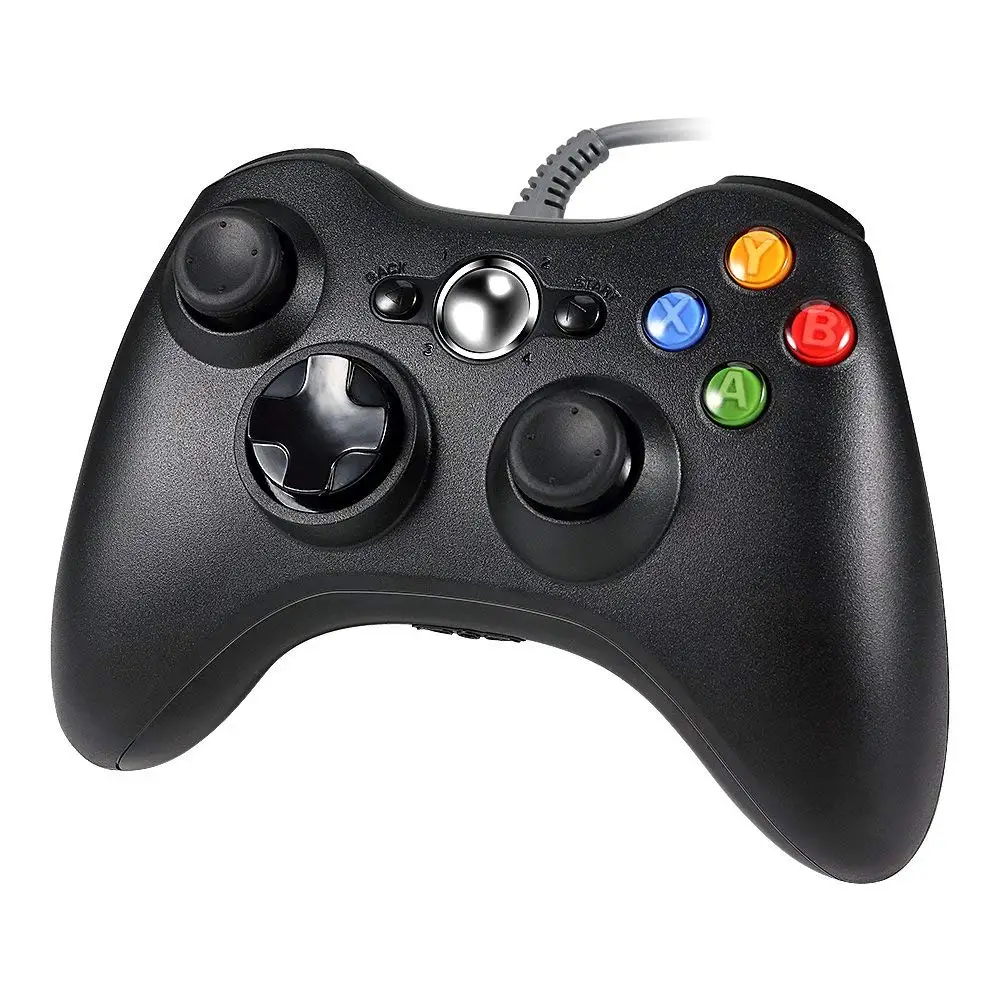
Buy joystick for mac without warranty at your own risk. If something breaks, you would not get a cent back. Moreover, you will have to pay for the repair services or buy a completely new joystick for mac. If you do not want to get into such a situation, simply choose products with a decent warranty. Usually, manufacturers provide a 2-year certificate.
Do I have to thoroughly test a joystick for mac before buying it?
Amazon provides a “Compare” feature and aggregates user reviews from all over the world. You can check them in order to understand whether the joystick for mac is good or not. Besides, there are many details in the product description itself. All the above will help you to purchase the exact joystick for mac that you are looking for.
How to download and install Sonos Controller on your PC and Mac. To install Sonos Controller on your Windows PC or Mac computer, you will need to download and install the WINDOWS PC APP for free from this post. This method of using on PC works for Windows 7/8 / 8.1 / 10 and all Mac OS. 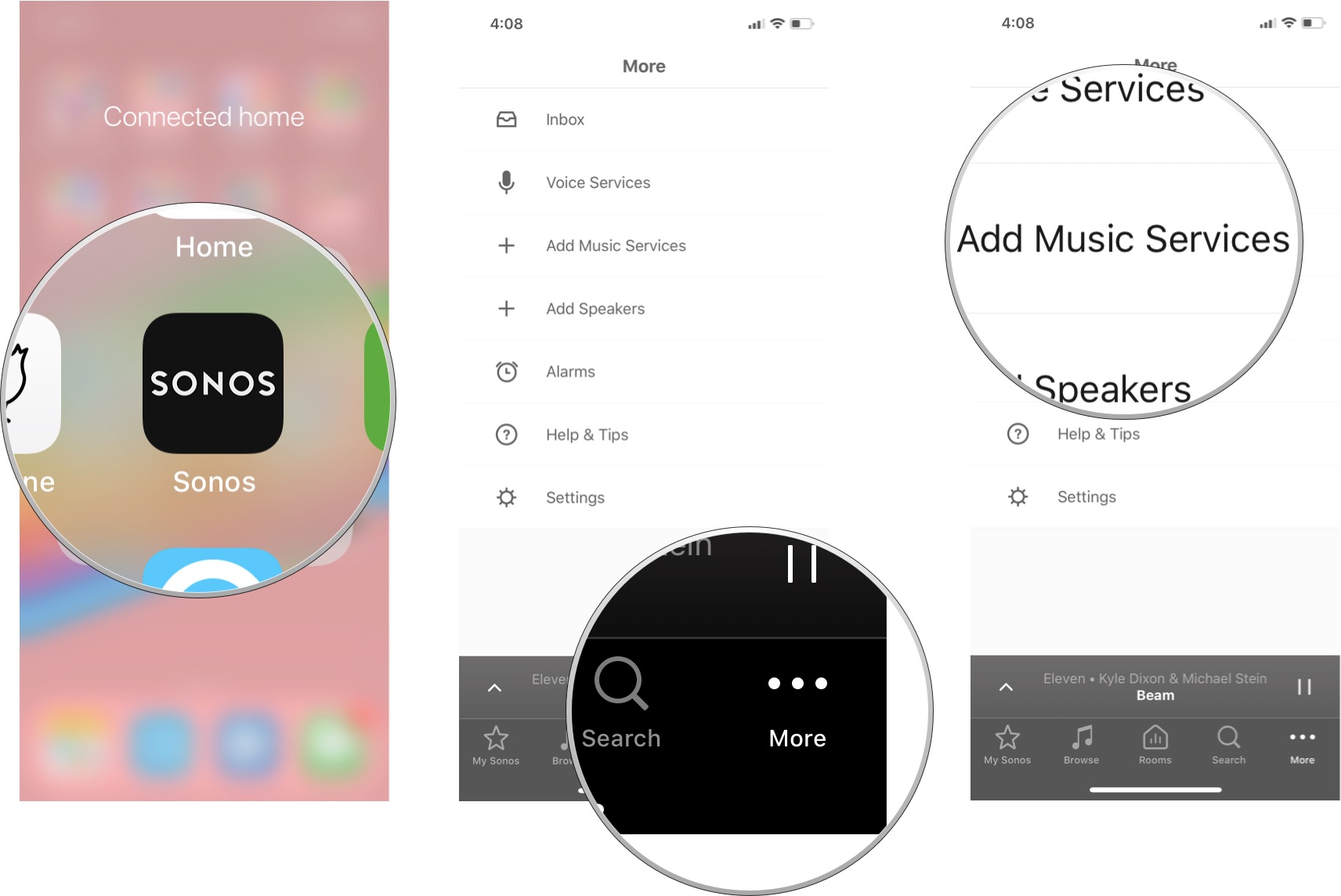 Plug it in, turn it on, and open the app. Setting up, installing, and controlling your Sonos system is as easy as that. Setup, Installation, and Control Sonos Sonos is. Oct 27, 2008 Download Sonos Controller and enjoy it on your iPhone, iPad, and iPod touch. Sonos is the wireless Home Sound System that fills as many rooms as. Jul 26, 2017 How to set up your Sonos speakers using the Sonos Controller app for Mac. Download the free Sonos Controller from the iTunes store and away you go! Launch the Sonos Controller app from your dock or from the Finder. Click Next on the welcome screen. Click Set up New System. Check Standard Setup. You can check BOOST Setup, which is a hardwired. Searching the App store, there shows but the option for an iPhone or iPad, but not an iMac? The version on my iMac stopped working, so I was advised to.