Fraps For Mac
Fraps 3.5.99 Crack 2019 Serial Number Full Version Free Download. Fraps 3.5.99 Crack Full Version is updated and reliable program for Games. Using many, you’ll be able to play games effortlessly. The Fraps 2019 Serial Key can be an effective tool which labored for your revealing frame rates and benchmarks of action. It is a straightforward graphical software. Fraps 3.5.99 Crack & Serial (Torrent) For Win & Mac July 26, 2019 Fraps Crack is the most powerful software which allows you to take screenshots, record audio, record video, live streaming, etc. Fraps 3.5.99 for Windows XP, 2003, Vista, and Windows 7: Requires Administrator rights; Supports all modern CPUs (Pentium 4 and above with SSE2) Captures fastest with an NVIDIA GeForce or AMD Radeon graphics card. Nov 16, 2017 Fraps Full Crack Version is a universal as multipurpose application for Windows. It designed to use with PC games by using DirectX and OpenGL video graphics technology. Fraps Full for Windows 10 build to perform many useful tasks for its users. Moreover, It called the best benchmarking Software in the market according to its features. Anything Like FRAPS for Mac? FRAPS is a well-known screen recording software that is specially designed to capture gameplay videos. It can capture audio and video up to 7680x4800 with specified frame rates from 1 to 120 fps.
-->Nov 23,2017• Proven solutions
Fraps For Mac Free
Whether you're a casual gamer, pro-competitor or a blogger there are going to be moments on your MAC you'll want to record. This could be for your own personal viewing or to put together a professional show reel – with the rise of video sharing sites such as YouTube the software to record your best gaming moments or step by step tutorials is becoming more mainstream. For PC users there's almost no contest in recording software as the industry leading Fraps continues to set the standard, but if you're using a MAC you won't be able to access this software. Luckily there are a number of alternatives that are just as good.
Dec 10, 2018 Safari is a web – browser developed exclusively for operating systems of Apple Inc. It is known for its versatility, minimal design and exclusive features that are unique with respect to other browsers. Update Safari Browser. It is important to keep the browser. Sep 24, 2018 For Mac computers, the Safari web browser is installed and updated as part of macOS. For PCs, Safari updates are no longer available. Update or reinstall Safari for your computer For Mac computers, the Safari web browser is installed and updated as part of macOS. 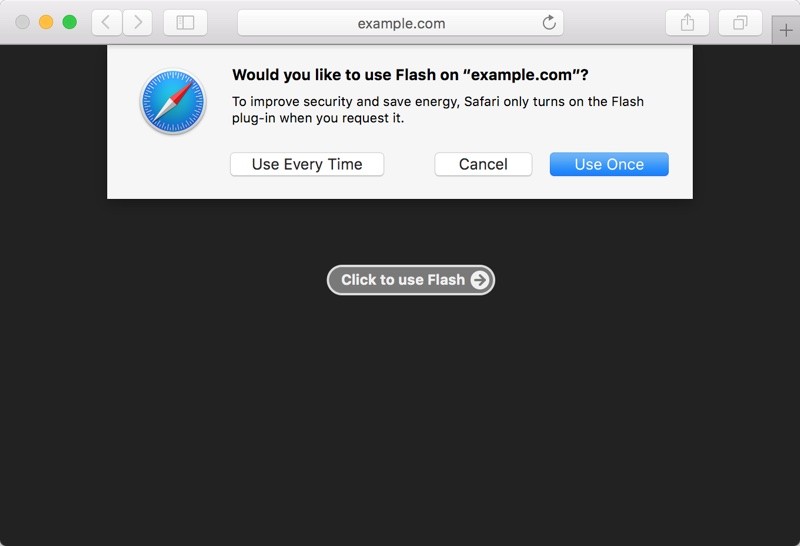
Top Alternatives to FRAPS for Mac
1. Filmora scrn for Mac
Filmora Scrn stands out among screen capture software due to its pure simplicity and functionality – it's incredibly easy for everyone to use and has a number of notable features. With 120 fps recording your gaming moments will be captured in all their glory, while the dual device and picture-in-picture effects allow you to add a second window to your recording, which is perfect for comparison or tutorial videos. The highlight of this awesome package is the built in video editing suite which most of the competition lacks. This will allow you to make a number of professional tweaks to your videos, such as adding background music, cuts, annotations and a range of other affects. If you're planning on displaying your videos to anyone but yourself Filmora scrn comes highly recommended.
2. QuickTime Player
Often considered the go-to software for MAC screen recording, the advantages of QuickTime Player is that it's free and relatively simple to use, making it ideal for recording quick personal clips. Unfortunately the videos are not as easy to edit in QuickTime, so for anything other than basic videos you'll want to consider downloading additional video editing software. Despite its flaws it's hard to beat QuickTime Player in terms of pure simplicity, so if you're not looking for anything too complicated give it a chance.
3. Monosnap
Monosnap is another basic application that comes packed with a range of features. It's ideally suited for the casual or family gamer instead of the pros, but the simplicity means you shouldn't ignore it. Monosnap can upload your videos for you, giving you an url to share which is perfect if you're not using a video site. It's also great for capturing quick screen shots of your playthroughs. The editing software is a little on the basic side, but for ease of use it's hard to beat. The only real negative is that the maximum FPS is 60, so your videos will lack the resolution of premium packages.
4. OBS Studio
OBS Studio can feel a little opaque to new users. The UI isn't the friendliest and it doesn't come with a lot of guidance on where to start – you may find your first few videos are a matter of trial and error. Despite this, OBS Studio shines as live streaming mix desk that will allow you to create stunning videos from multiple sources – just not with ease. If you'd like to do more with your screen captures than this is a solid option.
5. Jing
Jing may well be the simplest of all the screen capture software out there. Taking a different approach to capture UI's, Jing uses a sun-shaped icon with three spires – one lets you capture, one looks at your capture history and one brings up a limited options menu. It's really that simple. Lacking any editing software, you'll need an additional package if you want to manipulate your videos. Jing is designed to be used by those who wish to quickly share their videos with friends via email or chat programs. It may not be the best for professionals, but if you're just looking to quickly share your footage then this could be the program for you.
6. Movavi Screen Capture
Movavi Screen Capture is an excellent piece of software that include the whole package; screen captures from a range of sources and a comprehensive editing suite. Starting with the best features first, the editing tools are up there with the pros and can easily give most solo editing software a run for its money. You can also export your videos in 11 different formats and optimise them for over 150 devices. Despite this there's no way to export your video directly to social video sites like YouTube or Vimeo, so this will require a separate upload.
7. Snagit
Snagit works much like the simpler capture software like QuickTime Player and Jing, but with a few of the improvements you'd expect when paying for software. It stores all your captured videos in one place, allowing you to access them quickly and also has limited editing capabilities, though you won't be able to add in titles or annotations. It's a quick and simple program while being worth the money comes with less features than the equivalent paid programs.
Fraps Mac Ios
8. Screen Grabber Pro Mac
Our final alternative to Fraps is Screen Grabber Pro, another all-in-one offering that despite its simplicity gives you couple of options for recording your screen. There's all the standard features you'd expect and an editing suite that remains functional, if not the best. Like a few of the previous programs it also has the option of immediately uploading your videos onto social media sites, making it another possibility for social media gurus.
Easy-to-use and powerful video editor for all creators.
Bring up your video to a professional level with straightforward tools.
Dvd burning software for mac. Disk Burner is another great DVD burner freeware for Mac that enables you to create, organize, share and store all of your digital contents to CDs and DVDs. Different from other Mac DVD burner software, Disc Burner not only lets you burn your music, photos, videos and data to DVD, but also pays much attention to the data security. Jul 13, 2018 Simply Burns is another DVD burning app for Mac. As its name indicates that it has a simple interface that allows you to burn DVD with no fuss. With Simply Burns, you can burn videos, as well as images into DVD.
- Choosing Video Editing Software
- Video Editing Tips