Dreamweaver For Mac
Download Adobe Dreamweaver for Mac now from Softonic: 100% safe and virus free. More than 322 downloads this month. Download Adobe Dreamweaver latest version 2019. The Dreamweaver offers several pros such as easy to use tools for website fonts, easy tools for designing CSS transitions, jQuery panel swatch mobiles and a faster FTP. Note: The Adobe Dreamweaver CS6 For Mac trial version is only available in English. Downloading is done through the built in the Adobe download manager.
Issues occur when you synchronize files or upload files to a server
When you use Dreamweaver's synchronize feature or upload files to a server, the following problems may occur:
- You are putting files and Dreamweaver is warning you that the remote file has changed on the server: 'my_file.htm has changed on the remote server since your last get or put operation. Putting it may overwrite changes to the file. Do you wish to put the file anyway?' However, you are sure that the remote files haven't changed.
- The Synchronize preview dialog box is not correctly listing the files that should be synchronized.
- The Synchronize preview dialog box says that no synchronization is necessary, but you know that some files have changed.
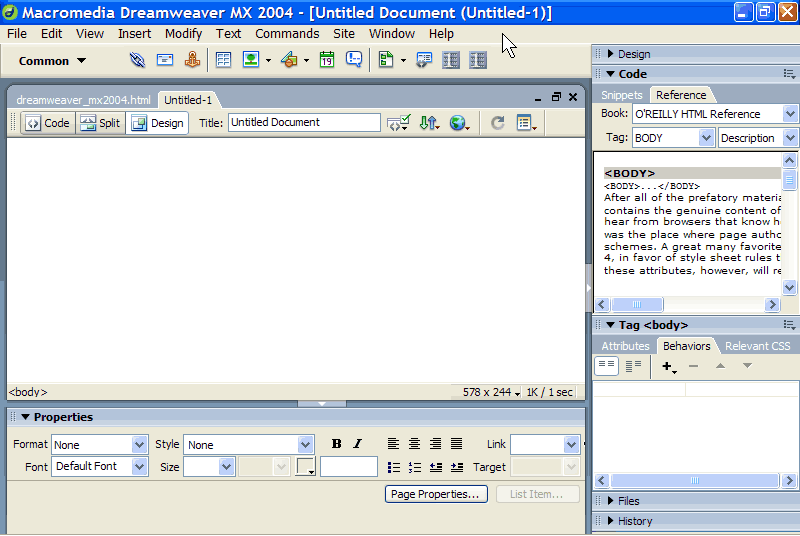
Note: These issues apply only to Dreamweaver 8 and later. The synchronize feature was redesigned in Dreamweaver 8, so the troubleshooting steps mentioned here do not apply to Dreamweaver MX 2004 and earlier.

In Dreamweaver 8 and later, whenever a user puts or gets a file, Dreamweaver locally stores the remote and local date/time stamps in files called dwsync.xml, which are located in hidden _notes folders in the same folder as the files being transferred. Occasionally, the dwsync.xml files can get corrupted.
Dreamweaver For Macbook
Note:
If only a few files have synchronization problems, try Solution 1. If several or all files have synchronization problems, try Solution 2.
If you are having synchronization problems with just a few of your files, try deleting the specific dwsync.xml files (instead of re-creating all the synchronization information for your site):
In Windows Explorer or Mac Finder, browse to your site's local root folder and locate the folder containing the files that are having synchronization problems. For each folder(s) having synchronization problems, locate the _notes folder and delete the dwsync.xml file inside it.
The dwsync.xml files reside only locally. Dreamweaver will never upload the dwsync.xml files to the server, and there is no reason to upload them to the server.
Reopen Dreamweaver and see if the problem is resolved.
Solution 2: Temporarily turn off the 'Maintain synchronization information' setting
If you are experiencing widespread synchronization problems, you can temporarily turn off the 'Maintain synchronization information' setting so that Dreamweaver re-creates all the synchronization information for your site:
That’s a program that can store and sort those clippings and files, index them for easy search and retrieval, and allow you to add your preferred organizational structure as well, whether it be to group similar kinds of information into collections, or add metadata such as tags or categories.is an Everything Box, as are other familiar Mac programs, such as Devon Technologies’ ( ), Bare Bones’ ( ), and Chronos’s, to name just a few. Evernote for mac. Where Evernote differs is that it’s free (with a paid tier providing extra features), available for Mac and Windows and as a Web app, and it has native iOS and Android apps.
In the Site Definition dialog box, click the Advanced tab, and then select Remote Info from the Category list. Deselect the 'Maintain synchronization information' option, and click OK.
This action deletes all the existing dwsync.xml files.
Verify that all the dwsync.xml files have been deleted from your local root folder and its subfolders.
The dwsync.xml files are located in the _notes folders, which are hidden by default in Dreamweaver. The dwsync.xml files reside only locally. Dreamweaver will never upload the dwsync.xml files to the server, and there is no reason to upload them to the server.
Reopen Dreamweaver. In the Site Definition dialog box, select the 'Maintain synchronization information' option, and then click OK. As you transfer files back and forth from the server, Dreamweaver will now re-create the dwsync.xml files. Check to see if the problem is resolved.
More like this
Twitter™ and Facebook posts are not covered under the terms of Creative Commons.
Legal Notices Online Privacy Policy
Dreamweaver For Macbook Pro
Latest Version:
Adobe Dreamweaver CC 19.2.1 LATEST
Requirements:
Mac OS X 10.12 or later
Author / Product:
Adobe Systems Inc / Adobe Dreamweaver for Mac
Old Versions:
Very cool.9.Simple and powerful, this free image editor will allow you to design, create, retouch and restore images among others. The fun part? Newbie or otherwise, this software is easy to use with a range of tools and options you can choose from. Art programs for mac. Exporting your drawing to Google Earth.
Filename:
Dreamweaver_Installer.dmg
Details:
Adobe Dreamweaver for Mac 2019 full offline installer setup for Mac
Dreamweaver For Mac Torrent
The streamlined, all-in-one Adobe Dreamweaver CC for macOS workspace offers an intuitive and visual environment to quickly apply CSS properties like gradients and box shadows. Designers and developers at all levels can use advanced code hinting and one-to-one browser rendering using the WebKit engine to follow web standards and best practices while creating engaging and dynamic websites for multiple devices.
The app is a powerful application for developing websites and mobile applications. Save time, work more efficiently, and create compelling designs with the complete set of tools you get with your Creative Cloud membership, including Adobe Edge Animate, Edge Code, Edge Reflow, Edge Inspect, Flash Professional, and Photoshop. Quickly create and publish web pages almost anywhere with web design software that supports HTML, CSS, JavaScript, and more.
Fast, flexible coding
Create, code, and manage dynamic websites easily with a smart, simplified coding engine. Access code hints to quickly learn and edit HTML, CSS, and other web standards. And use visual aids to reduce errors and speed up site development.
Setup to site up in fewer steps
Get your sites up and running faster with starter templates that you can customize to build HTML emails, About pages, blogs, e-commerce pages, newsletters, and portfolios. Code coloring and visual hints help you read code more easily for quick edits and updates.
Dynamic display on every device
Build responsive websites that adapt to fit any screen size. Preview your sites and edits in real time to make sure your pages look and work the way you want before you publish.
Multi-monitor support for Mac
Now you can expand your workspace by displaying your pages on multiple monitors.
CEF integration
Dreamweaver 2019 latest version now integrates with the latest version of Chromium Embedded Framework, so you can build modern HTML5 website and display elements, CSS grids, and much more.
Redesigned, modern UI
A streamlined and clutter-free interface lets you customize your workspace to only show the tools you need to code.
Git support
Collaboration is easy with Git support. Manage all your source code within the app and perform all common operations right from the Git panel.
Features and Highlights
jQuery Mobile support
Add advanced interactivity with jQuery code hinting. jQuery makes it simple to add interactivity to web pages. Get a jump start with starter templates for mobile phones.
PhoneGap support
Build and package native apps for Android and iOS with Adobe PhoneGap. Convert existing HTML to a mobile phone app within The tool using the PhoneGap framework. Test layouts with the provided emulator.
Multiscreen Preview panel
Design for smartphones, tablets, and desktops with the Multiscreen Preview panel. Use media query support to style and visualize rendering of your designs for a wide range of devices.
Fluid Grid Layout
Construct complex web designs and layouts without getting buried in code. Fluid Grid Layout is adaptive to help you design projects that display on different screen sizes for desktops and devices.
Live View
Check your pages before publishing with a WebKit rendering engine that supports display of HTML5 content. Help ensure cross-browser compatibility and consistent display of your layouts.
CSS3/HTML5 support
Style with the CSS panel, which supports CSS3. Design view supports media queries for applying different styles to fit screen dimensions. Design view and code hinting support HTML5.
Adobe Business Catalyst integration
Use the integrated Business Catalyst panel in the program to connect and edit sites you build with Adobe Business Catalyst (available separately). Build e-commerce sites with the hosted solution.
FTP
Upload large files quickly with the reengineered FTP transfer tool. Save time transferring batches of associated files as you publish your projects.
Integrated CMS support
Author sites using CMSs like WordPress, Joomla!, and Drupal. Access related files with the Dynamically Related Files feature. Live View Navigation offers accurate previews of dynamic apps.
Site-specific code hinting
Benefit from code hinting on nonstandard files in Dreamweaver 2019, enabling enhanced hinting support for third-party PHP libraries and CMS frameworks like WordPress, Joomla!, and Drupal.
FTPS, FTPeS support
Deploy files more securely with native support for the FTPS and FTPeS protocols.
Adobe Creative Suite integration
Save time and work more efficiently with Adobe Create Suite components including Adobe Flash Professional, Fireworks, and Photoshop Extended.
Extended community
Learn and share with an extensive community. Access the online Adobe Design Center and Adobe Developer Connection, training and seminars, developer certification programs, and user forums.
Support for leading technologies
Design and develop in an environment that supports most leading web development technologies, including HTML, XHTML, CSS, XML, JavaScript, Ajax, PHP, Adobe ColdFusion software, and ASP.
Adobe BrowserLab integration
Preview dynamic web pages and local content with diagnostic and comparison tools. Use Adobe BrowserLab (available separately) to test web content across browsers and operating systems.
CSS3 transitions
Animate changes to CSS properties as transitions to bring web designs to life. Maintain greater control of web design as you finesse page elements and create captivating effects.
W3C validation
Use the online W3C Markup Validation Service to help ensure the accuracy of your standards-based web designs.
Subversion support
Store your files more securely with support for Subversion® software.
CSS inspection
Visually display the CSS box model in detail and easily toggle CSS properties without reading code or needing to use a separate utility.
PHP custom class code hinting
Build and maintain PHP applications and get direct insight into core functions, methods, and objects with dynamic PHP code hinting.
Simple site setup
Set up a site with ease using the retooled Dreamweaver Site Definition dialog box. Add multiple servers with custom names to utilize staged or networked sites or other site types.
CSS starter pages
Jump-start your standards-based website design with CSS Starter Layouts. Choose from a wide selection of templates that incorporate CSS best practices and easy-to-understand selectors and rules.
Comprehensive CSS support
Design and develop websites with powerful CSS tools. Visually display the CSS box model in Dream weaver and reduce the need to manually edit CSS code — even in external style sheets.
Integrated FLV content
Add FLV files to any web page with point-and-click ease and standards-compliant coding. Preview your movies with FLV playback capabilities in Live View.
Note: 7 days trial version.
Also Available: Download Adobe Dreamweaver for Windows