Applications Store For Mac
Learn how the Mac App Store beautifully showcases your apps and makes them even easier to find, and how Developer ID and notarization make it safer for users to install apps that you distribute yourself.
Mac App Store
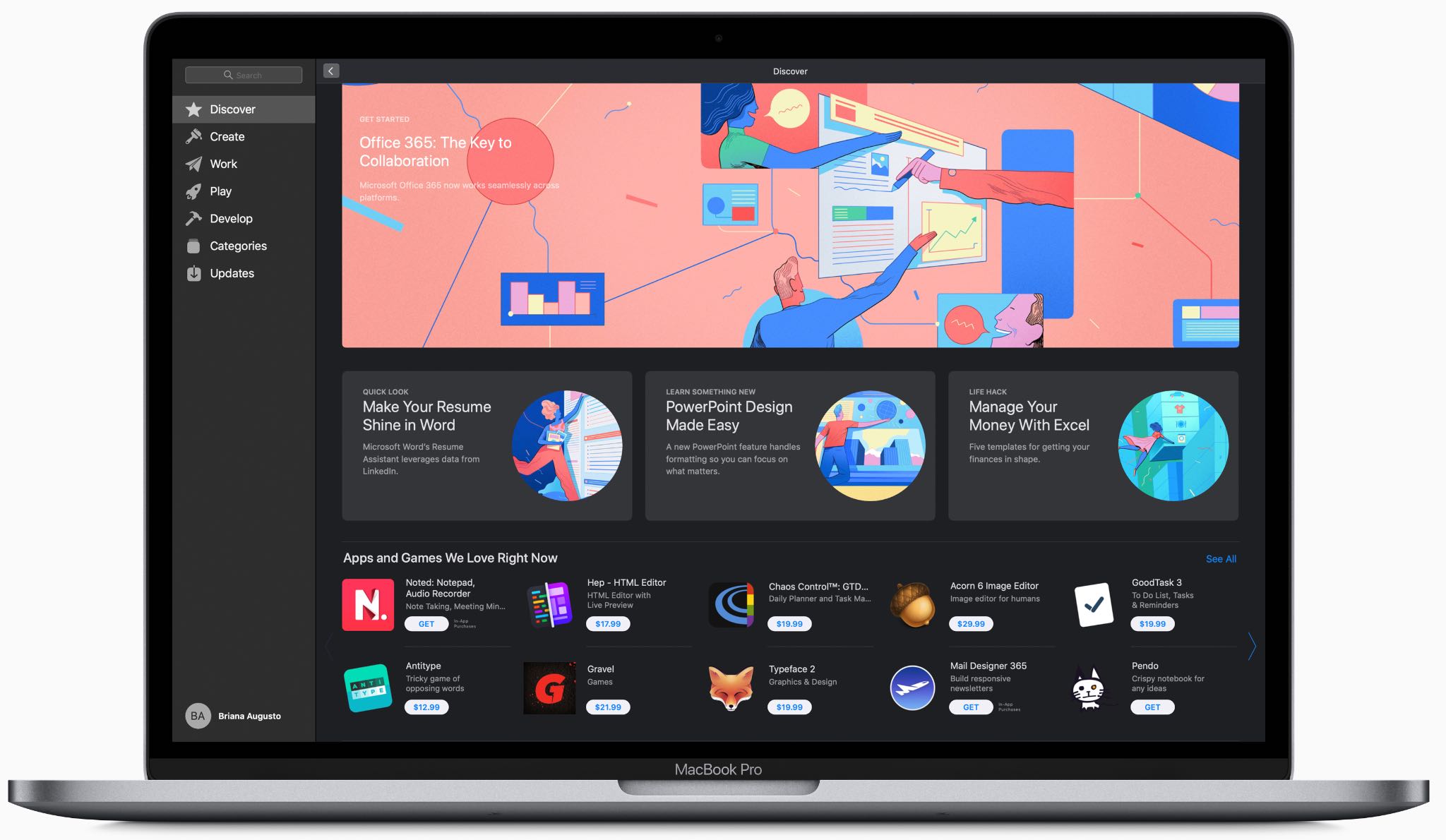
The Mac App Store makes it simple for customers to discover, purchase, and download your apps, and easily keep them updated. The Mac App Store on macOS Mojave and later offers editorial content that inspires and informs. Organized around the specific things customers love to do on Mac, along with insightful stories, curated collections, and videos, the Mac App Store beautifully showcases your apps and makes them even easier to find.
Outside the Mac App Store
While the Mac App Store is the safest place for users to get software for their Mac, you may choose to distribute your Mac apps in other ways. Gatekeeper on macOS helps protect users from downloading and installing malicious software by checking for a Developer ID certificate. Make sure to test your apps with the macOS 10.15 SDK and sign your apps, plug-ins, or installer packages to let Gatekeeper know they’re safe to install.
Browse, purchase, and download apps for your iPhone, iPad, iPod touch, Mac, Apple Watch, or Apple TV in the App Store. Learn how to use the App Store. Redownload your purchased apps. In the App Store, you can find apps that you already downloaded and download them again. App Store for Apple Watch. With watchOS 6, customers around the world can use the new App Store for Apple Watch to easily discover, browse, search, and install apps directly on their wrist. And for the first time, you can distribute an app just for Apple Watch, without a companion app on iOS. Learn about preparing your apps. The App Store Review Guidelines provide guidance and examples across a range of development topics, including user interface design, functionality, content, and the use of specific technologies. These guidelines are designed to help you prepare your Apps for the approval process.
You can also give users even more confidence in your apps by submitting them to Apple to be notarized.
Mac Logo
The Mac logo is designed to easily identify software products and hardware peripherals developed to run on macOS and take advantage of its advanced features.
 Sep 03, 2013 What are MAC addresses used for? MAC addresses are the low level basics that make your ethernet based network work. Network cards each have a unique MAC address. Packets that are sent on the ethernet are always coming from a MAC address and sent to a MAC address.
| Mac App Store | Outside Mac App Store | |
|---|---|---|
| App Distribution | Hosted by Apple | Managed by developer (with Developer ID) |
| Software Updates | Hosted by Apple | Managed by developer |
| Worldwide Payment Processing | Managed by Apple | Managed by developer |
| Volume Purchasing and Education Pricing | Managed by Apple | Managed by developer |
| Advanced App Capabilities (iCloud Storage and Push Notifications) | Available | Available |
| App Store Services (In-App Purchase and Game Center) | Available | Not Available |
| 64-Bit | Required | Recommended |
| App Sandboxing | Required | Recommended |
You can browse and buy apps in the App Store on your iPhone, iPad, iPod touch, on your Apple Watch, on your Mac, or on your Apple TV.
Browse and buy
To download and buy apps from the App Store, you need an Apple ID. Your Apple ID is the account that you use to access Apple services. If you use other Apple services like iCloud, sign in to the App Store with the same Apple ID. If you don't have an Apple ID, you can create one.
If you're in the App Store on any of your devices and see the download button near an app, you already bought or downloaded that app. If you tap or click the download button , the app downloads to your device again, but you are not charged again. You can also see a list of apps that you purchased and redownload them.
Learn what forms of payment you can use to buy apps and other content. You can also create an Apple ID without a payment method when you download a free app.
How to buy apps on your iPhone, iPad, or iPod touch
- Tap the App Store app on your Home screen.
- Browse or search for the app that you want to download, then tap the app.
- Tap the price or tap Get. You might need to sign in with your Apple ID.
If you find a game that says Arcade, subscribe to Apple Arcade to play the game.
After your app finishes downloading, you can move it to a different spot on your Home screen. Apps stay up-to-date by default, but you can learn more about updating apps.
You can make additional purchases within some apps. If you set up Family Sharing, you can use Ask to Buy so that kids must get permission before they make in-app purchases. Learn more about in-app purchases.
If an app is sold with an iMessage app or sticker pack, you can open it in Messages.
How to buy apps on your Apple Watch
With watchOS 6, you can download apps directly from the App Store on your Apple Watch. Silverlight for mac netflix. You can also add apps to your Apple Watch from your iPhone.
- Open the App Store app.
- Browse or search for the app that you want to download, then tap the app.
- Tap the price or tap Get. You might need to sign in with your Apple ID.
Applications Store For Mac Os
Apps stay up-to-date by default, but you can learn more about updating apps.
If you set up Family Sharing, you can use Ask to Buy so that kids must get permission before they download an app.
How to buy apps on your Mac
- Open the App Store.
- Browse or search for the app that you want to download. Apps for iPhone, iPad, and iPod touch don't always have a version for Mac.
- Click the app.
- Click the price, then click Buy App. If you don't see a price, click Get, then click Install App. You might need to sign in with your Apple ID. If you find a game that says Arcade, subscribe to Apple Arcade to play the game.
After your app finishes downloading, you can find it and keep it organized in Launchpad. Apps stay up-to-date by default, but you can learn more about updating apps.
You can make additional purchases within some apps. If you set up Family Sharing, you can use Ask to Buy so that kids must get permission before they make in-app purchases. Learn more about in-app purchases.
How to buy apps on your Apple TV
- Open the App Store on your Apple TV.
- Browse or search for the app that you want to download, then select the app.
- Select the price or select Get. You might need to sign in with your Apple ID.
If you find a game that says Arcade, subscribe to Apple Arcade to play the game.
After your app finishes downloading, you can move it around on your Home screen. Your apps will update automatically.
Mac Pro Application
You can make additional purchases within some apps. You can use Restrictions to restrict, block, or allow in-app purchases. Learn more about in-app purchases.
The App Store isn’t available on Apple TV (3rd generation or earlier).
Get information about an app
If you want to know specific information about an app, like what languages the app is available in, the app’s file size, or its compatibility with other Apple devices, scroll to the bottom of an app’s page. You might be able to tap some sections to learn more.
You can also contact the app developer for help with an app's functionality.

Get help with billing
- If you have an app charge that you don't recognize, check your previous purchase history. If you still don't recognize the charge, you can report a problem or contact Apple Support.
- For recurring charges from an in-app subscription, learn how to view, change, or cancel your subscription.
- Learn how to change, add, or remove your Apple ID payment information.
- If you can’t update your apps because your payment method is declined, update or change your payment method.
Learn more
Find Applications On Mac
- If your App Store is missing or you can't find it on your device, you might have parental controls turned on. For the Installing Apps setting, choose Allow.
- Learn what to do if an app unexpectedly quits, stops responding while installing, or won't open.
- Learn what to do if you can't download apps, or if apps get stuck.
- If you want to download apps that are larger than 200 MB over cellular, go to Settings > [your name] > iTunes & App Store, then tap App Downloads and choose the option that you want.